
.msr-product-section{background:#ffffff;border:1px solid #e0e0e0;border-radius:8px;padding:24px;margin-bottom:30px;font-size:16px;font-family:inherit;}
.msr-product-heading{color:#1a1a2e;font-family:inherit;margin-top:0;font-size:1.4em;display:flex;align-items:center;gap:10px;}
.msr-rank{background:#e47911;color:#fff;border-radius:50%;width:32px;height:32px;display:inline-flex;align-items:center;justify-content:center;font-size:14px;font-weight:700;flex-shrink:0;}
.msr-product-inner{display:flex;gap:20px;align-items:flex-start;flex-wrap:wrap;margin-bottom:16px;}
.msr-product-img-wrap{flex-shrink:0;width:180px;}
.msr-product-img{width:100%;height:auto;border:1px solid #eee;border-radius:4px;}
.msr-product-content{flex:1;min-width:200px;}
.msr-rating{margin-bottom:10px;font-size:14px;}
.msr-stars{color:#e47911;font-size:18px;}
.msr-rating-num{font-weight:700;color:#1a1a2e;}
.msr-review-count{color:#888;font-size:13px;}
.msr-pros-cons{display:flex;gap:14px;margin:16px 0;flex-wrap:wrap;}
.msr-pros,.msr-cons{flex:1;min-width:160px;border-radius:5px;padding:14px;}
.msr-pros{background:#e8f8f0;}
.msr-cons{background:#fef0f0;}
.msr-pros h4,.msr-cons h4{margin:0 0 8px;font-size:14px;}
.msr-pros ul,.msr-cons ul{margin:0;padding-left:18px;}
.msr-pros li,.msr-cons li{margin-bottom:4px;font-size:13px;}
.msr-review-highlights{background:#f9f9f9;border-left:3px solid #e47911;padding:12px 16px;margin:14px 0;border-radius:0 4px 4px 0;font-size:14px;}
.msr-verdict{background:#fff8e1;border-radius:5px;padding:12px 16px;margin:14px 0;font-size:14px;}
.msr-cta{margin-top:16px;}
.msr-btn{display:inline-block;background:#e47911;color:#ffffff;padding:12px 28px;border-radius:6px;text-decoration:none;font-weight:700;font-size:15px;transition:opacity .2s;}
.msr-btn:hover{opacity:.88;color:#ffffff;}
.msr-table-wrap{margin:30px 0;}
.msr-section-title{color:#1a1a2e;font-family:inherit;}
.msr-table-scroll{overflow-x:auto;-webkit-overflow-scrolling:touch;}
.msr-table{width:100%;border-collapse:collapse;font-size:14px;}
.msr-table th{background:#1a1a2e;color:#ffffff;padding:11px 14px;text-align:left;white-space:nowrap;}
.msr-table td{padding:10px 14px;border-bottom:1px solid #dddddd;}
.msr-table tr:nth-child(even) td{background:#f8f9fa;}
.msr-table tr:hover td{background:#f0f4ff;}
.msr-faq-item{border-bottom:1px solid #eee;padding:14px 0;}
.msr-faq-q{margin:0 0 8px;font-size:15px;color:#1a1a2e;}
.msr-faq-a{font-size:14px;color:#333333;}
@media(max-width:600px){
.msr-product-inner{flex-direction:column;}
.msr-product-img-wrap{width:100%;max-width:200px;margin:0 auto;}
.msr-pros-cons{flex-direction:column;}
.msr-table th,.msr-table td{padding:8px 10px;font-size:13px;}
}
Streaming or joining a video call with a blurry camera makes it hard to connect with people. Built-in laptop cameras often fail in low light and leave you looking like a dark shadow. Upgrading your camera is the fastest way to look professional online.
Finding a good webcam is harder than it seems. Every box claims to offer high-definition video and fast autofocus. But those claims often fall apart when you actually plug the camera in and turn on your room lights.
We looked at the top options and read thousands of real buyer reviews to see how these cameras actually perform. We checked which ones handle dark rooms, which ones keep you in focus when you move, and which microphones actually sound clear.
Quick Comparison
| # | Product | Rating | Reviews | Best For | Action |
|---|---|---|---|---|---|
| #1 | Logitech Brio 101 | 4.4 | 5,833 | Basic Setup | View on Amazon |
| #2 | Logitech C920x HD Pro | 4.6 | 21,611 | Overall Quality | View on Amazon |
| #3 | NBPOWER 1080P Camera | 4.4 | 2,952 | Built-in Light | View on Amazon |
| #4 | EMEET S600 4K | 4.5 | 1,521 | 4K Detail | View on Amazon |
| #5 | Tewiky Full HD | 4.3 | 5,652 | Desk Placement | View on Amazon |
| #6 | EMEET C960 | 4.4 | 1,326 | Wide Angle | View on Amazon |
| #7 | NexiGo N60 | 4.3 | 51,515 | Windows Users | View on Amazon |
| #8 | Acer 4K Webcam | 4.5 | 156 | Premium Build | View on Amazon |
| #9 | EMEET C60E 4K | 4.5 | 157 | Dual Lens Zoom | View on Amazon |
| #10 | Gohero Full HD | 4.4 | 274 | Laptop Upgrade | View on Amazon |
#1 Best For Basic Setup — Logitech Brio 101

This camera works well for people who need a simple, reliable upgrade from a built-in laptop lens. It connects easily and works right away.
The RightLight feature automatically boosts brightness. This means you look clear even if your room does not have bright studio lighting. It adjusts the image so your face does not hide in shadows.
Most buyers appreciate how easy it is to plug in and use right away. Many note the modern design looks great on a desk. A few users mention the camera sits a bit low on monitors with thin borders, which can block the top edge of the screen.
It shines during everyday video calls where you just need to plug in and start talking without messing with software.
Honestly, the simplicity is the best part of this camera. It does exactly what it promises without any fuss. I would not pick it if you need a wide field of view, as the frame stays zoomed in closely on your face.
✅ Pros
- Boosts brightness in dim rooms
- Slides closed for physical privacy
- Plugs in and works instantly
- Built from recycled plastics
❌ Cons
- Mount can block the top edge of thin monitors
- Frame stays zoomed in closely on your face
💬 What Customers Say
Most buyers agree that the camera looks sleek and provides a sharp, colorful image. People love that they can just plug it in and start a meeting without downloading drivers. However, several users warn that the mount design causes the camera to hang slightly over the screen on modern, thin monitors.
#2 Best Overall — Logitech C920x HD Pro

This camera suits streamers and workers who want proven, reliable video quality every time they turn it on. It handles daily use easily.
The five-element glass lens captures sharp 1080p video while the automatic light correction adjusts to your room. This keeps your face looking natural instead of washed out or dark.
Customers consistently praise the crisp video and easy setup. Many people use it for years without issues. Some buyers note that while it handles normal light well, the video gets grainy if the room is too dark.
It works best in a well-lit home office or streaming room where you want a clear, professional look.
I think this is one of the safest choices you can make for a webcam. It delivers great colors and sharp details. I would look elsewhere if you stream in a very dark room, as the sensor needs decent light to perform at its best.
✅ Pros
- Glass lens captures sharp details
- Adjusts automatically to changing light
- Dual microphones pick up clear sound
- Includes software to blur backgrounds
❌ Cons
- Video gets grainy in very low light
- Lacks a physical privacy cover
💬 What Customers Say
Across thousands of reviews, the thing people mention most is how reliable and sharp the video is for daily use. Buyers love that it works immediately with Zoom and Teams. A common complaint is the low-light performance, with users noting that a desk lamp helps the camera focus much better.
#3 Best With Fill Light — NBPOWER 1080P Camera

This model fits casual streamers who want a built-in light to help brighten their face during late-night sessions.
It includes a built-in ring light around the lens. This helps reduce shadows on your face when you play games in a dark room.
Buyers like the physical privacy blocker and the bright front light. However, several users point out that the camera does not actually reach 60 frames per second as claimed, and fast movements can look blurry.
It does a good job for casual chats and basic video calls where you sit still and need extra light on your face.
The built-in light is a smart idea that saves you from buying a separate lamp. But I would not pick this if you need smooth motion for fast gaming streams. The frame rate drops too much, making movements look slow.
✅ Pros
- Built-in light brightens your face
- Includes a physical privacy cover
- Plugs in and works without software
❌ Cons
- Does not reach the claimed 60 frames per second
- Fast movements cause motion blur
- RGB lights cannot be controlled or synced
💬 What Customers Say
Customers who want a basic camera appreciate the clear picture and the helpful built-in light. Many find it easy to attach to their monitors. On the downside, gamers report that the frame rate is much lower than advertised, causing streaks and trails when moving quickly.
#4 Best 4K Quality — EMEET S600 4K

This camera is for serious content creators and professionals who need the sharpest possible video. It delivers excellent clarity.
It uses a high-end Sony sensor to capture true 4K video. This means your audience sees every detail clearly, and you can crop the video without losing quality.
Buyers are amazed by the crisp image and fast autofocus. Many note it fixes their lighting issues without needing extra lamps. A few users mention it does not work with Windows Hello for face unlocking.
It shines when you present products on camera or stream games where visual quality matters most.
The jump from 1080p to 4K is very noticeable here. The autofocus tracks quickly without hunting back and forth. I strongly suggest this for content creators, but casual users might not need this much detail for basic calls.
✅ Pros
- Captures highly detailed 4K video
- Autofocus tracks movement quickly
- Microphones filter out background noise
- Built-in cover protects your privacy
❌ Cons
- Does not support Windows Hello face login
- Requires a strong computer to process 4K video smoothly
💬 What Customers Say
Most buyers agree that the video clarity is outstanding and a massive upgrade from standard webcams. Users love how well the autofocus works and how it handles different lighting setups. The only frequent complaint is the lack of Windows Hello support for quick computer logins.
#5 Best With Tripod — Tewiky Full HD
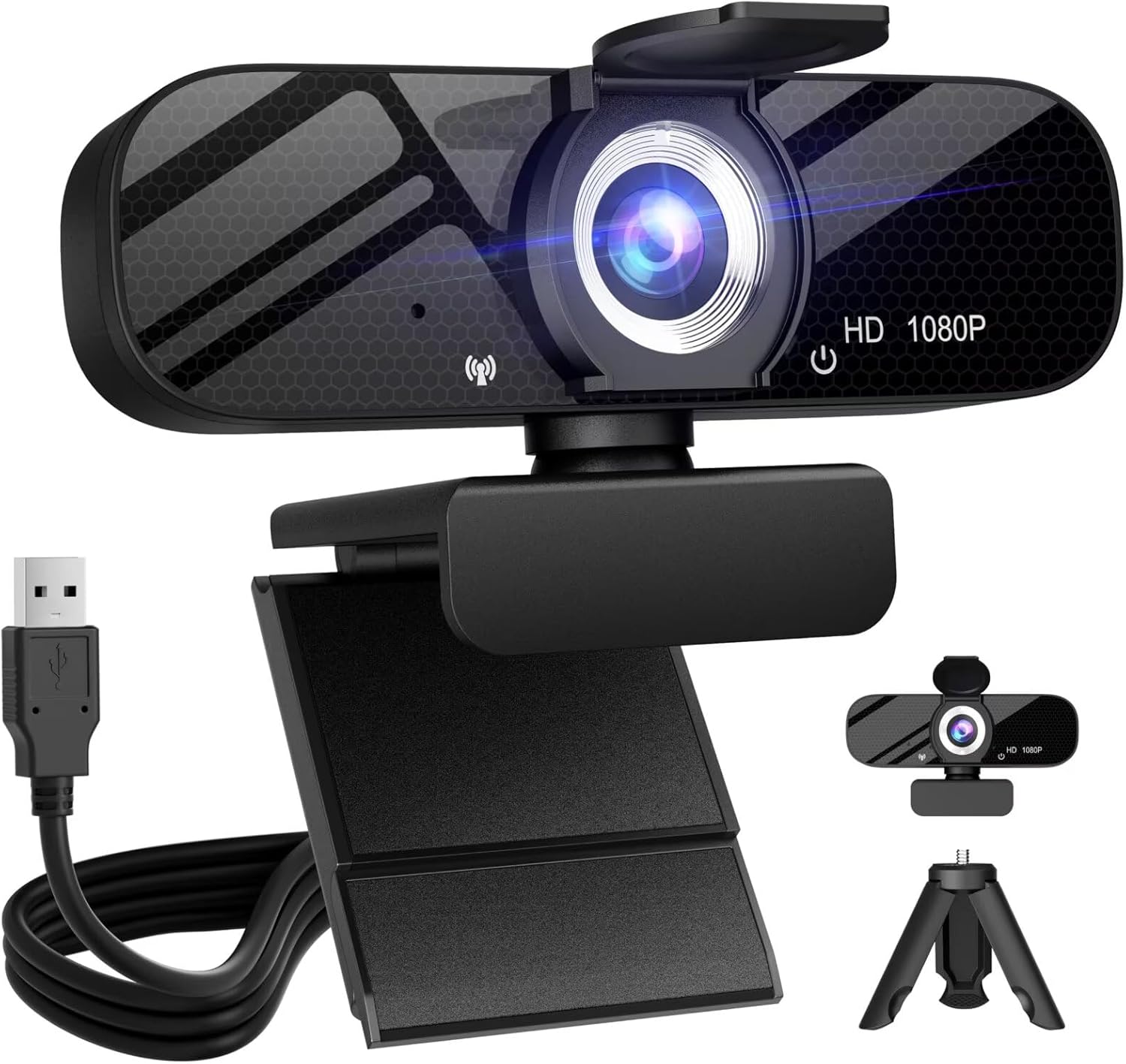
This fits anyone who needs to move their camera around their desk instead of keeping it stuck to the top of a monitor.
It comes with a detachable tripod. This lets you place the camera at eye level or point it down to show off items on your desk easily.
Customers enjoy the wide-angle view and the included tripod. Many find it great for online classes. Some buyers report a slight yellow tint to the video that is hard to adjust.
It works great for online teachers or hobbyists who need to point the camera down at their hands while working.
Getting a tripod included makes this a very practical choice. The wide angle captures a lot of your room, which is great if you have a nice background. I would skip this if color accuracy is crucial for your work, due to the reported yellow tint.
✅ Pros
- Includes a small tripod for desk placement
- Wide lens shows more of your room
- Cancels background noise for clear voice
- Slides closed for privacy
❌ Cons
- Video can show a slight yellow tint
- Tripod screw can be tricky to attach securely
💬 What Customers Say
Parents and students say this camera handles online classes perfectly. They love the wide view and how easy it is to set up on the included tripod. A few reviewers mention they struggled to get the colors to look natural, noting a warm or yellow hue in the video.
#6 Best Wide Angle — EMEET C960

This camera is for people who want to fit more than one person in the frame during a call or stream. It captures a wide area.
The 90-degree field of view captures a wide space. You do not have to sit perfectly still in the center of the screen to stay in the shot.
Buyers like the small size and clear microphones. Many appreciate that it comes with a USB-C adapter. A few users notice the camera briefly loses focus before quickly snapping back.
It is ideal for small group meetings or streamers who want to show off their gaming room background.
The wide angle is a big plus if you feel boxed in by standard webcams. The included USB-C adapter is a smart touch for modern laptops. I would not pick this if you want a tight, zoomed-in shot of just your face.
✅ Pros
- Wide lens captures more of your room
- Includes a USB-C adapter for newer laptops
- Two microphones pick up clear sound
- Adjusts well to dim lighting
❌ Cons
- Fixed focus can briefly blur if you move too fast
- Cannot be used with Windows Hello
💬 What Customers Say
Customers praise the wide viewing angle and how easy it is to connect to newer MacBooks using the adapter. People also mention the microphones sound great. Some buyers report that the camera occasionally blurs for a second before refocusing during long calls.
#7 Best For Zoom Calls — NexiGo N60
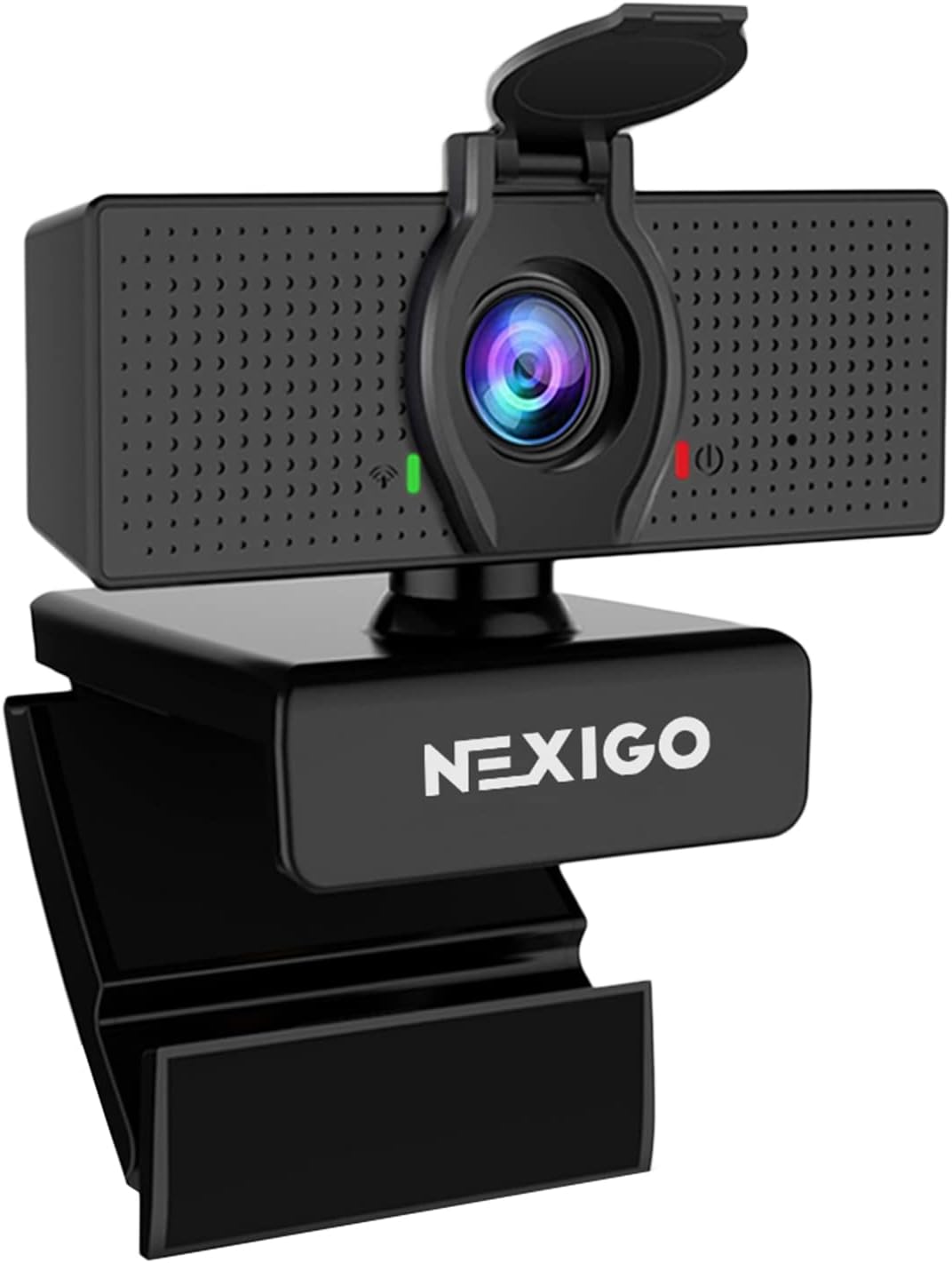
This camera works for people who need a basic, wide-angle lens for daily video meetings. It offers a simple design.
It uses a 3.6mm glass lens to provide a crisp image at fixed distances. This keeps you in focus as long as you sit at a normal desk distance.
Reviews are very mixed. Some buyers like the clear picture. However, many complain that the camera captures too much background and cannot zoom in. Mac users also report software bugs that require restarting the computer.
It works best in a dedicated home office where you do not mind showing your entire room on camera.
The wide angle is nice, but the lack of zoom control is frustrating if you have a messy room. The software issues on Mac computers are also a concern. I would only recommend this for Windows users who want a very wide shot.
✅ Pros
- Glass lens keeps the image sharp
- Built-in cover protects your privacy
- Plugs in and works quickly on Windows
❌ Cons
- Captures too much background with no zoom option
- Causes software glitches on Mac computers
- Cable is thick and hard to manage
💬 What Customers Say
While some buyers find the video quality acceptable, many complain about the extremely wide field of view. Users say it shows too much of their room and the software does not allow them to zoom in. Mac owners frequently mention connection bugs that force them to restart their computers.
#8 Best Premium Build — Acer 4K Webcam

This is for professionals and gamers who want a tough, high-quality camera that looks great on a desk. It feels solid and durable.
It features an all-aluminum body that cools down fast. This stops the camera from overheating and lagging during a long, eight-hour stream.
Buyers love the sharp 4K video and the premium metal feel. They note it handles low light beautifully. A few users mention the brand’s website lacks support pages for this specific model.
It shines during long gaming streams or all-day video conferences where cheap plastic cameras might overheat.
The metal body makes this feel like a truly premium device. The Sony sensor inside does a fantastic job pulling light out of dark rooms. I think this is a brilliant choice, though the lack of online manual support from the brand is a little annoying.
✅ Pros
- Metal body stays cool during long streams
- Sony sensor captures bright 4K video
- Autofocus works fast and stays locked
- Magnetic cover snaps on easily
❌ Cons
- Hard to find online manuals or support
- Costs more than standard HD cameras
💬 What Customers Say
Customers are very impressed with the clear 4K image and how well it performs in dark rooms. Buyers frequently mention the solid metal build feels much better than plastic cameras. The only real complaint is that the manufacturer’s website does not have much information or support for this model yet.
#9 Best Dual Lens — EMEET C60E 4K

This camera is for presenters, teachers, and streamers who need to show wide room shots and tight close-ups in the same video.
It actually has two separate lenses inside. One shoots a wide angle, and the other shoots a zoomed-in telephoto shot, letting you switch views without losing quality.
Buyers enjoy the clear picture and the handy remote control. They like being able to zoom in closely to show details. A few users point out that the zoom feature does not work when recording in 4K resolution.
It works great for product reviewers who need to hold an item up close to the camera to show fine details.
Putting two lenses in a webcam is a brilliant idea. The remote control makes it very easy to switch views while you are live. I would not buy this if you only plan to shoot in 4K, as you lose the zoom function at that resolution.
✅ Pros
- Two lenses offer wide and tight shots
- Remote control lets you adjust settings live
- RGB lighting adds a fun look
- Auto focus keeps details sharp
❌ Cons
- Zoom function turns off in 4K mode
- Software setup can be confusing at first
💬 What Customers Say
Users love the dual-lens system and say the picture quality is fantastic. Many buyers find the remote control very useful for changing settings without touching their computer. However, some customers were disappointed to learn that the zoom feature only works in 1080p mode, not 4K.
#10 Best For Laptops — Gohero Full HD
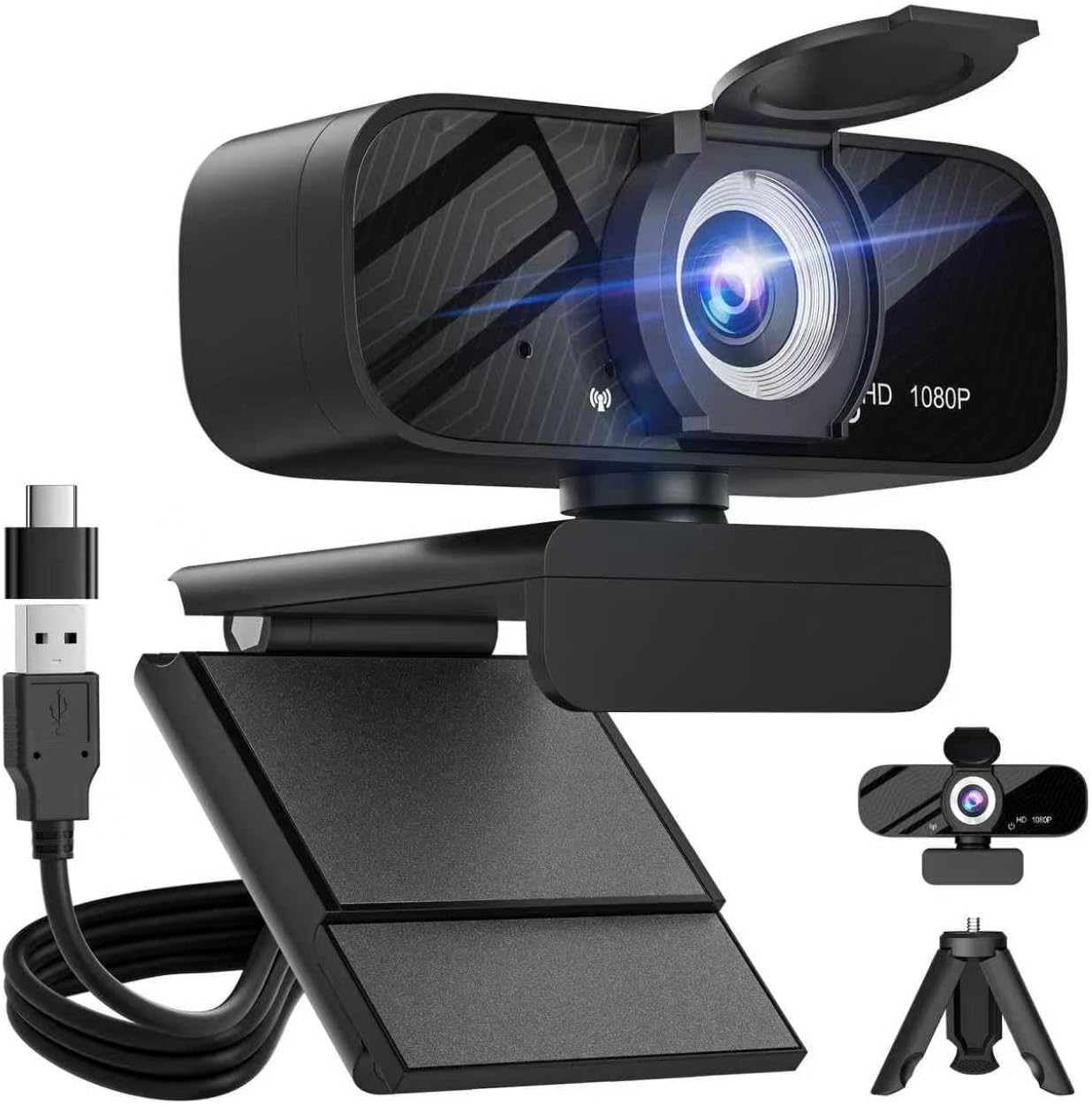
This camera suits laptop users who need an easy, reliable upgrade for work calls and basic streaming. It offers a clean, sharp image.
The automatic light correction instantly fixes dark shadows. If you sit with a bright window behind you, the camera adjusts so your face stays visible.
Buyers praise the crisp video and how easy it is to set up. Many like the wide angle and the clear microphone. Some mention the field of view is much wider than they expected.
It is great for traveling workers who need to set up quickly in hotel rooms with bad lighting.
This is a very capable little camera. It handles bad lighting better than most laptop lenses. I would keep in mind that the wide angle shows a lot of your background, so you will need to keep your room tidy.
✅ Pros
- Adjusts to bad lighting quickly
- Wide lens captures the whole room
- Microphones block out background noise
- Slides closed for physical privacy
❌ Cons
- Wide angle might show too much of a messy room
- No software to adjust the zoom
💬 What Customers Say
Most buyers agree that the camera provides a massive upgrade over built-in laptop lenses. People love the clear audio and the automatic light adjustments. A few users note that the camera shows a very wide area, which caught them by surprise during their first meeting.
Frequently Asked Questions
Do I need a 4K webcam for streaming?
Why does my webcam look grainy in the dark?
Can I use a webcam on a Mac and a PC?
Are built-in laptop cameras good enough?
Does a wider lens mean a better camera?
Conclusion
Upgrading your camera makes a huge difference in how people see you online. The Logitech C920x HD Pro stands out as the best overall choice because it delivers reliable, sharp video and adjusts to your room lighting automatically.
If you want to push your video quality to the next level, the EMEET S600 4K offers incredible detail and fast autofocus. Whatever you choose, adding a little extra light to your desk will help any camera perform at its best.
{“@context”:”https://schema.org”,”@type”:”FAQPage”,”mainEntity”:[{“@type”:”Question”,”name”:”Do I need a 4K webcam for streaming?”,”acceptedAnswer”:{“@type”:”Answer”,”text”:”Not always. A 1080p camera running at 60 frames per second often looks smoother for fast gaming streams. However, 4K is better if you create detailed YouTube videos, present products, or want the sharpest possible picture for your audience.”}},{“@type”:”Question”,”name”:”Why does my webcam look grainy in the dark?”,”acceptedAnswer”:{“@type”:”Answer”,”text”:”Cameras need light to capture clear images. When a room is dark, the camera sensor works harder to see, which creates digital noise or grain. Adding a simple desk lamp behind your monitor will instantly fix this problem.”}},{“@type”:”Question”,”name”:”Can I use a webcam on a Mac and a PC?”,”acceptedAnswer”:{“@type”:”Answer”,”text”:”Yes. Most modern webcams plug in and work on both Windows and Mac computers without any extra steps. Just check the connection type, as some older cameras use USB-A plugs while newer laptops only have USB-C ports.”}},{“@type”:”Question”,”name”:”Are built-in laptop cameras good enough?”,”acceptedAnswer”:{“@type”:”Answer”,”text”:”Built-in laptop lenses are usually very small and struggle in bad lighting. An external camera has a larger glass lens and a better sensor. This means it captures more light, clearer colors, and sharper details than the one inside your laptop screen.”}},{“@type”:”Question”,”name”:”Does a wider lens mean a better camera?”,”acceptedAnswer”:{“@type”:”Answer”,”text”:”Not necessarily. A wide lens shows more of your room, which is great for group calls. But if you sit close to the desk, a wide lens can make you look small and show too much of your background. Pick the lens width that fits your space.”}}]}
{“@context”:”https://schema.org”,”@type”:”ItemList”,”name”:”Best 10 Best Gaming Webcams for Streaming, Facecam, and High-Quality Video”,”itemListElement”:[{“@type”:”ListItem”,”position”:1,”item”:{“@type”:”Product”,”name”:”Logitech Brio 101 Full HD 1080p Webcam for Meetings, Streaming, Desktop, Laptop, PC – Built-in Mic, Shutter, Works with Zoom, Microsoft Teams, Nintendo Switch 2u2019s new GameChat Mode, USB-A,-Black”,”image”:”https://m.media-amazon.com/images/I/71A0Pp767BL._AC_SL1500_.jpg”,”aggregateRating”:{“@type”:”AggregateRating”,”ratingValue”:4.4,”reviewCount”:5833}}},{“@type”:”ListItem”,”position”:2,”item”:{“@type”:”Product”,”name”:”Logitech C920x HD Pro PC Webcam, Full HD 1080p/30fps Video, Clear Audio, HD Light Correction, Works with Microsoft Teams, Google Meet, Zoom, Nintendo Switch 2u2019s New GameChat Mode, Mac/Tablet- Black”,”image”:”https://m.media-amazon.com/images/I/71YN85pLGcL._AC_SL1500_.jpg”,”aggregateRating”:{“@type”:”AggregateRating”,”ratingValue”:4.6,”reviewCount”:21611}}},{“@type”:”ListItem”,”position”:3,”item”:{“@type”:”Product”,”name”:”NBPOWER 1080P 60FPS Streaming Camera Webcam with Microphone and Fill RGB Light,Autofocus,Work with Laptop/Desktop Computer/Winsdows/Mac OS/PC Computer for Camera”,”image”:”https://m.media-amazon.com/images/I/61DRyuOB3vL._AC_SL1500_.jpg”,”aggregateRating”:{“@type”:”AggregateRating”,”ratingValue”:4.4,”reviewCount”:2952}}},{“@type”:”ListItem”,”position”:4,”item”:{“@type”:”Product”,”name”:”EMEET S600 4K Webcam for Streaming – Sony 1/2.55” Sensor, PDAF Autofocus, 1080P@60FPS, 2 Noise Reduction Mics, Built-in Privacy Cover, 73u00b0 FOV, Streaming Camera for Live Commerce/Gaming/Beauty”,”image”:”https://m.media-amazon.com/images/I/61exJWcysXL._AC_SL1500_.jpg”,”aggregateRating”:{“@type”:”AggregateRating”,”ratingValue”:4.5,”reviewCount”:1521}}},{“@type”:”ListItem”,”position”:5,”item”:{“@type”:”Product”,”name”:”Tewiky Full HD Webcam with Built-in Microphone and Rotatable Tripod, 1080P Video and Wide Angle Camera, Privacy Cover, for Desktop PC or Laptop Computer”,”image”:”https://m.media-amazon.com/images/I/71dvYKkHCML._AC_SL1500_.jpg”,”aggregateRating”:{“@type”:”AggregateRating”,”ratingValue”:4.3,”reviewCount”:5652}}},{“@type”:”ListItem”,”position”:6,”item”:{“@type”:”Product”,”name”:”EMEET 1080P Webcam with Microphone, C960 Web Cam, 2 Mics, 90u00b0 FOV, USB Type-A & A-to-C Adapter, Plug&Play Computer Camera for Online Calling, Zoom/Teams/Facetime, Switch 2 Camera Support, 2025 Version”,”image”:”https://m.media-amazon.com/images/I/61Z8eKKUIcL._AC_SL1419_.jpg”,”aggregateRating”:{“@type”:”AggregateRating”,”ratingValue”:4.4,”reviewCount”:1326}}},{“@type”:”ListItem”,”position”:7,”item”:{“@type”:”Product”,”name”:”NexiGo N60 1080P Webcam with Microphone, Software Control & Privacy Cover, USB HD Computer Web Camera, Plug and Play, for Zoom/Skype/Teams, Conferencing and Video Calling”,”image”:”https://m.media-amazon.com/images/I/51EPhWPDRhL._AC_SL1500_.jpg”,”aggregateRating”:{“@type”:”AggregateRating”,”ratingValue”:4.3,”reviewCount”:51515}}},{“@type”:”ListItem”,”position”:8,”item”:{“@type”:”Product”,”name”:”acer 4K Webcam for PC/Mac with All-Metal Unibody Sculpted, Sony 1/2″ Sensor, PDAF, 2 Noise Reduction Mics, Privacy Cover, Lightweight, Fast Cooling, Streaming Camera for Live Meeting Commerce Gaming”,”image”:”https://m.media-amazon.com/images/I/61uPBKydIwL._AC_SL1500_.jpg”,”aggregateRating”:{“@type”:”AggregateRating”,”ratingValue”:4.5,”reviewCount”:156}}},{“@type”:”ListItem”,”position”:9,”item”:{“@type”:”Product”,”name”:”EMEET C60E Dual-Camera 4K Webcam for Streaming, Wide-Angle and Telephoto Cameras, Max 11X Hybrid Zoom & PDAF Autofocus, Remote Control, RGB Lighting, 2 Mics, Ideal for Livestreaming and Online Meeting”,”image”:”https://m.media-amazon.com/images/I/61I6OYuNPLL._AC_SL1456_.jpg”,”aggregateRating”:{“@type”:”AggregateRating”,”ratingValue”:4.5,”reviewCount”:157}}},{“@type”:”ListItem”,”position”:10,”item”:{“@type”:”Product”,”name”:”Gohero Full HD 1080P Video Webcam, Noise Cancellation, Privacy Cover, Wide-Angle Lens, Auto Light Correction, Plug & Play USB Webcam for Laptop, Desktop, PC, Mac, Zoom, Skype Pro Series”,”image”:”https://m.media-amazon.com/images/I/61XjZF3AScL._AC_SL1280_.jpg”,”aggregateRating”:{“@type”:”AggregateRating”,”ratingValue”:4.4,”reviewCount”:274}}}]}