
Choosing the right processor for your gaming PC is harder than it should be. Every brand claims their chip is the fastest. They throw huge numbers at you, like 24 cores or 5.7 GHz boost clocks. But most of those numbers do not matter for playing games.
Many people buy massive, hot-running processors meant for video editing, thinking it will give them more frames per second. Instead, they just end up with a loud computer and a lighter wallet. The real differences show up when you look at single-core speed, cache size, and how well the chip handles heat.
We read through thousands of real buyer reviews and checked the hard data to find the processors that actually deliver smooth gameplay. This guide will help you find the right chip for your graphics card, your cooler, and the games you actually play.
Quick Comparison
| # | Product | Rating | Reviews | Best For | Action |
|---|---|---|---|---|---|
| #1 | AMD Ryzen 7 9800X3D | 4.8 | 4765 | Overall Gaming | View on Amazon |
| #2 | AMD Ryzen 5 5500 | 4.7 | 10043 | Budget Builds | View on Amazon |
| #3 | AMD Ryzen 7 5800XT | 4.8 | 1572 | AM4 Upgrades | View on Amazon |
| #4 | Intel Core i9-12900K | 4.5 | 2365 | Stable Multitasking | View on Amazon |
| #5 | AMD Ryzen 5 9600X | 4.8 | 3009 | Quiet Mid-Range | View on Amazon |
| #6 | AMD Ryzen 7 7800X3D | 4.8 | 7389 | Pure Gaming | View on Amazon |
| #7 | AMD Ryzen 9 9950X3D | 4.7 | 1397 | Heavy Workloads | View on Amazon |
| #8 | Intel Core Ultra 9 285K | 4.6 | 615 | Intel Productivity | View on Amazon |
| #9 | AMD Ryzen 5 7600X | 4.8 | 5581 | AM5 Entry | View on Amazon |
| #10 | Intel Core i7-14700K | 4.6 | 1077 | Simulation Games | View on Amazon |
#1 Best Overall — AMD Ryzen 7 9800X3D

This processor targets serious gamers who want the absolute highest frame rates possible. It drops right into modern AM5 motherboards and delivers incredible speed for heavy games.
The 96MB of 3D V-Cache makes the biggest difference here. This extra memory sits directly on the chip, keeping the processor fed with data. It stops your games from stuttering when explosions happen or when you enter crowded areas.
Buyers constantly mention how stable this chip feels. Many reviews point out that frame rates never drop, even in heavy simulation games. People also love how cool it runs compared to older high-end chips, though you still need to buy your own cooler.
This chip shines most when paired with a high-end graphics card on a fast 1440p or 4K monitor. It handles fast-paced shooters and massive open worlds without breaking a sweat.
Honestly, the power efficiency stands out most to me. You get top-tier gaming speed without needing a loud, massive liquid cooler. If you play games more than you edit video, this is the smartest choice you can make right now.
✅ Pros
- Delivers incredibly high frame rates
- Stops games from stuttering during heavy action
- Runs cool and uses very little power
- Fits modern AM5 motherboards for future upgrades
❌ Cons
- Costs more than standard 8-core chips
- Does not come with a cooler in the box
💬 What Customers Say
Most buyers agree that this chip completely changes how smooth their games feel. Gamers who play heavy titles report that their frame rates stay high and never dip during action. Many reviews also mention how easy it is to keep cool with a standard air cooler.
#2 Best Budget Pick — AMD Ryzen 5 5500

This chip suits people building their first gaming PC on a strict budget. It uses the older AM4 socket, which makes finding a cheap compatible motherboard very easy.
AMD includes a Wraith Stealth cooler right in the box. This saves you money and time, as you do not need to shop for a separate fan or worry about applying thermal paste.
Buyers love the value this processor offers. Many reviews mention it handles daily tasks and 1080p gaming perfectly. However, several people note that it lacks integrated graphics, so you must own a graphics card for your screen to turn on.
It works best in a budget 1080p gaming rig. If you want to play casual games or older titles without spending much, this chip handles the job easily.
I would not pick this if you plan to buy a very fast graphics card later. It only supports PCIe 3.0, which slightly limits the speed of newer parts. But for a cheap entry-level build, it does exactly what you need it to do.
✅ Pros
- Includes a quiet cooling fan in the box
- Costs very little compared to modern chips
- Handles 1080p gaming smoothly
- Fits hundreds of cheap AM4 motherboards
❌ Cons
- Lacks integrated graphics for troubleshooting
- Limits newer graphics cards with older PCIe 3.0 support
💬 What Customers Say
Buyers consistently praise the value they get for the low price. Many people mention the included cooler works great and stays quiet. A few users remind others that you must have a dedicated graphics card since this chip cannot output video on its own.
#3 Best AM4 Upgrade — AMD Ryzen 7 5800XT

This processor is for people who already own an older AM4 motherboard and want more speed. It gives you 8 fast cores without forcing you to buy new DDR5 memory.
The 4.8 GHz boost clock helps older games run much faster. It pushes data quickly, which helps your graphics card render frames without waiting around for the CPU.
Customers report a huge speed boost when upgrading from older Ryzen 2000 or 3000 series chips. However, many buyers warn that this chip runs very hot. Several reviews also mention the included RGB cooler is difficult to clip onto the motherboard.
This chip works best when you want to squeeze a few more years out of an older PC. Just drop it in, update your BIOS, and enjoy better frame rates.
I like that AMD includes a cooler, but honestly, you should buy a better one. This chip runs hot by design, and a larger cooler will keep it running at top speed without making too much noise.
✅ Pros
- Upgrades older PCs without needing a new motherboard
- Handles heavy multitasking with 8 fast cores
- Includes an RGB cooling fan in the box
- Pushes high frame rates in 1440p gaming
❌ Cons
- Runs very hot under normal gaming loads
- The included cooler is difficult to install
💬 What Customers Say
Most buyers agree this gives older PCs a massive speed boost. People upgrading from older Ryzen chips say their games run much smoother. However, a common complaint is the high running temperature and the frustrating installation of the included cooler.
#4 Best Value Intel — Intel Core i9-12900K

This processor suits Intel fans who want heavy-duty power without the heat and stability issues of newer generations. It fits LGA1700 motherboards and handles gaming and work easily.
The hybrid design uses 8 performance cores and 8 efficiency cores. This splits the work nicely. The big cores handle your game, while the small cores run background apps like Discord or web browsers.
Buyers frequently mention how stable and reliable this chip feels. Many reviews point out that it runs cooler than Intel’s 13th and 14th generation chips. People also love the integrated graphics for troubleshooting PC issues.
It works best for someone who games and streams at the same time. The high core count keeps your stream running smoothly without dropping frames in your game.
I would pick this over the newer Intel chips for pure peace of mind. It still delivers incredible frame rates, and you do not have to worry about the crashing issues that plagued the newer models.
✅ Pros
- Handles heavy multitasking easily with 16 total cores
- Runs cooler and more stable than newer Intel models
- Includes basic graphics for easy troubleshooting
- Supports both DDR4 and DDR5 memory
❌ Cons
- Draws a lot of power under heavy load
- Requires a high-quality cooler to reach top speeds
💬 What Customers Say
Buyers love the raw speed for both gaming and heavy workloads like video editing. Many users specifically mention they bought this older model to avoid the stability issues of newer Intel chips. Some note it draws a lot of power, but they feel the performance is worth it.
#5 Best Mid-Range AM5 — AMD Ryzen 5 9600X

This processor is for mainstream gamers building a new PC on the modern AM5 platform. It offers fast speeds for daily gaming without breaking the bank.
The new Zen 5 architecture makes this chip incredibly efficient. It hits high speeds up to 5.4 GHz but draws very little power from your wall.
Customers are shocked by how cool this processor runs. Many reviews mention it rarely passes 60 degrees, even during heavy gaming. Buyers also appreciate how snappy their entire PC feels when opening apps.
This chip shines in a quiet, cool-running build. You can use a small, silent air cooler and still get amazing performance in modern games.
If you hate loud computer fans, this is the chip to buy. It gives you nearly flagship gaming speed but runs so cool you will barely hear your system running. It also leaves your motherboard open for future upgrades.
✅ Pros
- Runs incredibly cool under heavy gaming loads
- Uses very little power compared to older chips
- Makes daily apps and web browsing feel instant
- Fits the modern AM5 socket for easy future upgrades
❌ Cons
- Does not include a cooler in the box
- Only has 6 cores, which limits heavy video editing
💬 What Customers Say
Across many reviews, the thing people mention most is the low temperature. Buyers love that they can use a cheap cooler and still get amazing frame rates. Gamers report smooth performance, though a few note it is not meant for heavy video rendering.
#6 Best Pure Gaming — AMD Ryzen 7 7800X3D
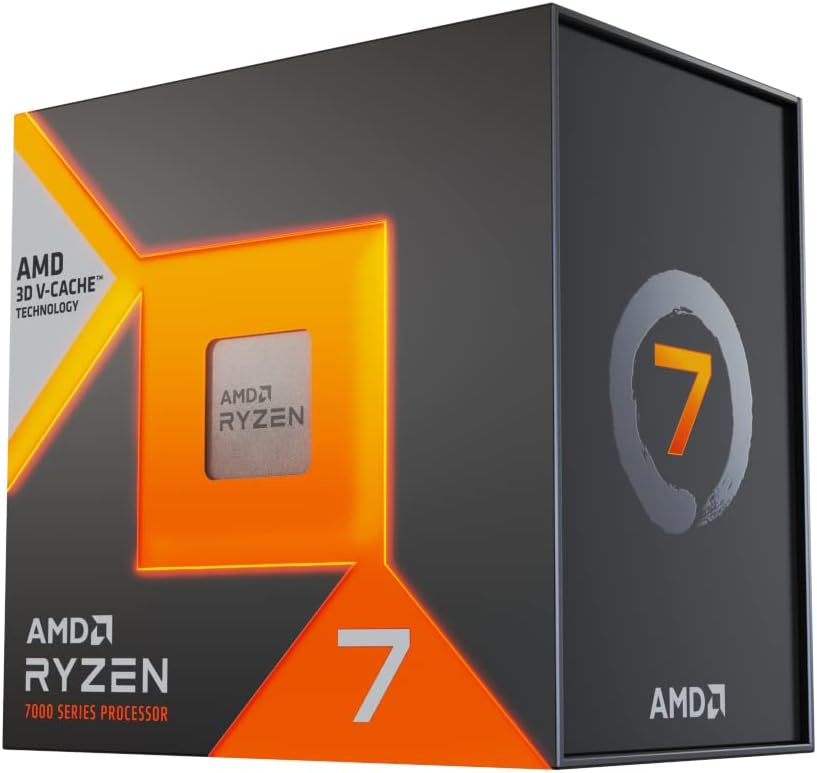
This processor targets competitive gamers who care about frame rates above everything else. It remains one of the most popular gaming chips in the world for a good reason.
The massive 96MB L3 cache acts like a cheat code for gaming. It keeps game assets loaded directly on the chip, which prevents those annoying stutters when you spin the camera quickly.
Buyers constantly praise how smooth their games feel. Reviews frequently mention that 1% low frame rates improve dramatically. People also love that it uses very little power, though some note it can run a bit warm.
It works best in competitive shooters like Counter-Strike or Call of Duty, where a dropped frame can ruin your match. It keeps the action smooth no matter what happens on screen.
This chip ruins other processors for me. It simply beats chips that cost twice as much in gaming. If you do not do heavy video editing or 3D rendering, buy this chip and do not look back.
✅ Pros
- Pushes incredibly high frame rates in competitive games
- Eliminates game stuttering with massive cache memory
- Uses very little power while gaming
- Fits the latest AM5 motherboards
❌ Cons
- Runs slightly warm despite the low power draw
- Slower at heavy productivity tasks than standard chips
💬 What Customers Say
Gamers who use this daily report incredibly smooth frame rates in demanding titles. Many buyers mention it easily beats more expensive chips in pure gaming tests. A few users note you still need a good cooler because the cache layer traps some heat.
#7 Best for Creators — AMD Ryzen 9 9950X3D

This processor is for power users who edit heavy video files but still want top-tier gaming frame rates. It is a massive 16-core chip that tries to do everything at once.
The dual-chiplet design gives you the best of both worlds. Half the cores have the gaming 3D V-Cache, while the other half run at ultra-high speeds for rendering video and compiling code.
Customers love the raw power it delivers across all tasks. However, reviews frequently warn about the heat. Buyers mention it draws a massive amount of power and requires a high-end liquid cooler to keep temperatures safe.
This chip belongs in a heavy-duty workstation that doubles as a high-end gaming rig at night. It handles 4K video rendering and high-refresh-rate gaming equally well.
I would not recommend this if you only play games. It costs too much and runs too hot for a pure gaming PC. But if your PC makes you money during the day and runs games at night, this is the ultimate choice.
✅ Pros
- Tears through heavy video rendering and compiling
- Delivers top-tier gaming frame rates
- Handles massive multitasking with 16 cores
- Fits modern AM5 motherboards
❌ Cons
- Costs significantly more than pure gaming chips
- Draws huge power and runs very hot
💬 What Customers Say
Buyers agree this is an absolute monster for both work and play. People who render video love the speed, and gamers love the high frame rates. However, almost every review warns that you must buy a massive liquid cooler to handle the heat it generates.
#8 Best Intel Flagship — Intel Core Ultra 9 285K

This processor targets enthusiasts building a brand new Intel system from scratch. It uses a completely new architecture and requires a new LGA1851 motherboard.
The 24-core hybrid layout focuses on heavy throughput. It balances 8 fast cores with 16 efficient cores to chew through massive workloads while keeping the system responsive.
Buyers praise how fast it handles compiling code and rendering tasks. Reviews also note that it is much easier to cool than older Intel i9 models. However, some gamers feel the gaming performance does not beat AMD’s top options.
It works best for heavy productivity users who run virtual machines, compile large codebases, or edit high-resolution video while multitasking.
If your main goal is gaming, I would look at AMD’s options first. But if you need an incredibly strong processor for work that also plays games well, this runs much cooler and more stable than Intel’s last generation.
✅ Pros
- Chews through heavy work tasks with 24 total cores
- Runs much cooler than previous Intel flagship chips
- Makes heavy multitasking feel completely smooth
- Includes integrated graphics for easy setup
❌ Cons
- Requires buying a brand new LGA1851 motherboard
- Gaming speeds trail slightly behind the competition
💬 What Customers Say
Programmers and video editors report this chip cuts through their workloads incredibly fast. Buyers are very happy that it runs cooler than older Intel models. A few users point out that the gaming performance is good, but not the absolute best for the high price.
#9 Best Entry AM5 — AMD Ryzen 5 7600X

This processor suits gamers who want to build a modern AM5 PC without spending their whole budget on the CPU. It offers great speed and leaves room for future upgrades.
The high 5.3 GHz boost clock matters most here. Most games rely heavily on fast single-core speed, and this chip pushes data fast enough to keep mid-range graphics cards fully busy.
Customers love the gaming performance for the price. However, many reviews mention that it runs quite hot by design. Buyers often suggest running it in eco-mode or buying a strong air cooler to keep temperatures down.
This chip works best paired with a mid-range graphics card for excellent 1440p gaming. It handles modern titles easily and boots up fast.
This is the smartest entry point for a modern PC. You get great gaming speed today, and because it uses the AM5 socket, you can drop a faster processor into the same motherboard five years from now.
✅ Pros
- Delivers fast frame rates in modern games
- Leaves the door open for future AM5 upgrades
- Includes basic graphics if your GPU fails
- Offers excellent value for the speed
❌ Cons
- Runs hot under heavy loads by design
- Does not include a cooling fan in the box
💬 What Customers Say
Buyers consistently praise the value, noting it keeps up with much more expensive chips in gaming. Many people mention how snappy their system feels. The most common warning is to buy a good aftermarket cooler, as the chip runs warm under load.
#10 Best for Sim Racing — Intel Core i7-14700K
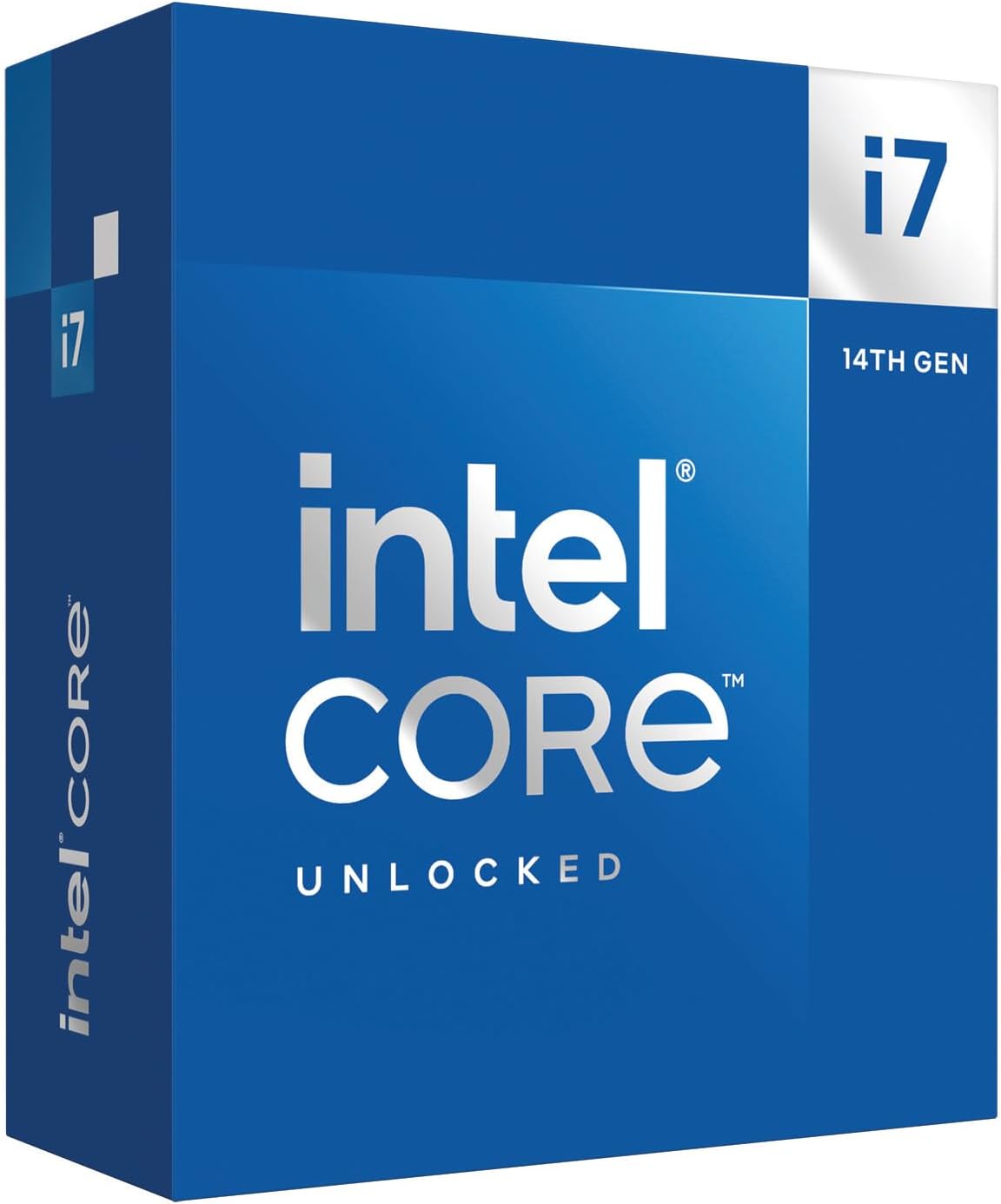
This processor is for gamers who play heavy simulation games that track lots of moving parts. It packs 20 total cores to handle complex physics and background AI.
The core count helps immensely in simulation titles. While the 8 performance cores handle the main game rendering, the 12 efficiency cores calculate the background physics and AI behavior without slowing you down.
Buyers praise its massive performance in racing and flight simulators. However, almost every review warns about the extreme heat. Users state you absolutely must use a large liquid cooler to stop it from throttling.
It works best in flight simulators or racing games where dozens of AI cars or planes are moving on screen at the same time.
The raw power is undeniable, but the heat is a real issue. Do not buy this unless you also plan to buy a large, high-quality liquid cooler. If you can keep it cool, it handles simulation games better than almost anything else.
✅ Pros
- Handles heavy AI and physics calculations easily
- Pushes high frame rates in complex simulation games
- Supports both older DDR4 and newer DDR5 memory
- Includes integrated graphics for troubleshooting
❌ Cons
- Draws a massive amount of power
- Requires a large liquid cooler to prevent overheating
💬 What Customers Say
Sim racers and flight sim fans report this chip handles dozens of AI vehicles perfectly. Buyers love the raw speed but constantly warn others about the heat. Many reviews explicitly state that standard air coolers cannot handle the heat this chip produces.
Frequently Asked Questions
Does a higher core count mean more FPS in games?
What is 3D V-Cache and do I need it?
Do I need to buy an expensive liquid cooler?
Should I care about integrated graphics?
Conclusion
The AMD Ryzen 7 9800X3D stands out as the best overall choice. It delivers massive frame rates, stops games from stuttering, and runs incredibly cool. It gives you top-tier gaming speed without the headaches of massive power draw or extreme heat.
If you are building your first PC on a strict budget, the AMD Ryzen 5 5500 is a smart alternative. It includes a cooler in the box and handles 1080p gaming perfectly. Pick the chip that fits your budget and your motherboard, and you will have a great time playing.