
Finding the right router for fast online gaming feels harder than it should be. Every brand claims they offer the fastest speeds and zero lag. But most of those promises are just marketing. The real differences only show up when you connect a console, a PC, and a dozen smart home devices all at once.
We went through the top options and read thousands of real buyer reviews. We wanted to find out which routers actually keep your ping low during a match, which ones push through thick walls, and which ones hold up when someone else starts streaming a 4K movie.
In this guide, you will learn what actually matters for a stable connection. We skip the confusing jargon and focus on the features that keep you in the game.
Quick Comparison
| # | Product | Rating | Reviews | Best For | Action |
|---|---|---|---|---|---|
| #1 | TP-Link Archer AXE75 | 4.3 | 5376 | Overall Value | View on Amazon |
| #2 | TP-Link Archer GE650 | 4.4 | 6405 | Wi-Fi 7 Gaming | View on Amazon |
| #3 | TP-Link Archer AX21 | 4.4 | 23793 | Budget Pick | View on Amazon |
| #4 | ASUS ROG Strix GS-BE12000 | 4.8 | 20 | Deep Customization | View on Amazon |
| #5 | MSI Radix AXE6600 | 4.2 | 321 | AI Traffic Control | View on Amazon |
| #6 | TP-Link Archer GE400 | 4.4 | 1814 | Dual-Band Wi-Fi 7 | View on Amazon |
| #7 | TP-Link Archer GXE75 | 4.3 | 5376 | Easy Mesh Setup | View on Amazon |
| #8 | ASUS ROG GT-BE98 PRO | 4.1 | 461 | Extreme Speeds | View on Amazon |
| #9 | NETGEAR Nighthawk BE9300 | 4.4 | 2064 | Fiber Internet | View on Amazon |
| #10 | ASUS ROG GT-AXE16000 | 4.4 | 733 | Multiple Gamers | View on Amazon |
#1 Best Overall Value — TP-Link Archer AXE75

This router suits people who want fast speeds without a complicated setup. It gives you a new 6GHz band that clears out network traffic.
The extra 6GHz band makes the biggest difference here. It acts like an empty highway for your gaming PC or console. This means your games load fast even if your family watches videos in the next room.
Most buyers agree that the setup takes only a few minutes. People mention the signal reaches far into their yards. However, a few users note the 6GHz signal drops faster through thick walls than the older bands.
It works best in medium to large homes with lots of smart devices. You can connect phones, cameras, and consoles without slowing anything down.
Honestly, the range is what stands out most to me. Many routers lose speed fast as you walk away. This one holds a strong connection across multiple rooms. I would recommend it to anyone upgrading from an old provider modem.
✅ Pros
- Keeps multiple devices running fast at once
- Sets up easily through a simple app
- Pushes a strong signal through older houses
❌ Cons
- Advanced security features require a monthly fee
- The 6GHz signal struggles through thick plaster walls
💬 What Customers Say
Most buyers agree that this router handles heavy traffic easily. People who upgraded from old equipment say their dead zones disappeared completely. Across thousands of reviews, the thing people mention most is the simple setup process. A few users complain about needing a subscription for the best security tools. Overall, buyers feel it delivers fast and stable speeds for the entire house.
#2 Best for Wi-Fi 7 Gaming — TP-Link Archer GE650

This Wi-Fi 7 router fits serious gamers who want top speeds for years to come. It handles massive data loads with ease.
The dedicated gaming port matters most on this model. You plug your PC or console directly into it, and the router automatically puts your game traffic first. This stops lag spikes when someone else starts a large download.
Buyers constantly praise the high speeds they get across their homes. Many note that their wired connections hit full gigabit speeds with no drops. A few people mention the router has a very large footprint and takes up space.
This unit shines when you have fiber internet and want to push that speed to every room. It handles busy households without breaking a sweat.
I really like the eight wired ports on the back. Most home routers only give you four. Having extra ports lets you hardwire more devices for the best possible connection. I would not pick this if you have limited desk space.
✅ Pros
- Gives game traffic priority automatically
- Includes eight ports for wired connections
- Runs cool even under heavy loads
❌ Cons
- The unit is quite large and needs plenty of shelf space
- The web menu can feel overwhelming at first
💬 What Customers Say
Gamers who use this daily report incredibly fast download speeds and low ping times. Across many reviews, buyers love the high number of wired ports for their computers and consoles. Some users mention the device is large and hard to hide. Overall, people feel it offers excellent performance and keeps their games running smoothly.
#3 Best Budget Pick — TP-Link Archer AX21

This dual-band router works well for budget-conscious buyers who still want reliable gaming speeds. It offers a solid upgrade over basic equipment.
The ability to split the networks makes a huge difference. You can set up one network for your smart home gadgets and a separate one just for your gaming console. This keeps your game traffic clear from interference.
Customers love how light and simple the unit is. Many buyers say it fixed their smart speaker connection problems completely. A few users note the mobile app lacks some advanced features.
It works best in smaller homes or apartments where you do not need extreme range. It pushes a strong signal through a few walls with ease.
Honestly, the value here is hard to beat. You get stable speeds and separate bands without paying a premium. I recommend it for casual gamers. I would look elsewhere if you have a massive house or need multi-gigabit speeds.
✅ Pros
- Allows you to split networks easily
- Stays cool during long gaming sessions
- Provides a fast browser setup option
❌ Cons
- Lacks the newer 6GHz frequency band
- The mobile app misses some deeper settings
💬 What Customers Say
Most buyers agree that this router offers a huge step up from standard internet provider boxes. People who switched to this say their smart devices connect much faster now. A common complaint is that the mobile app feels a bit basic. Overall, customers appreciate the strong, steady signal it pushes through smaller homes.
#4 Best for Deep Customization — ASUS ROG Strix GS-BE12000
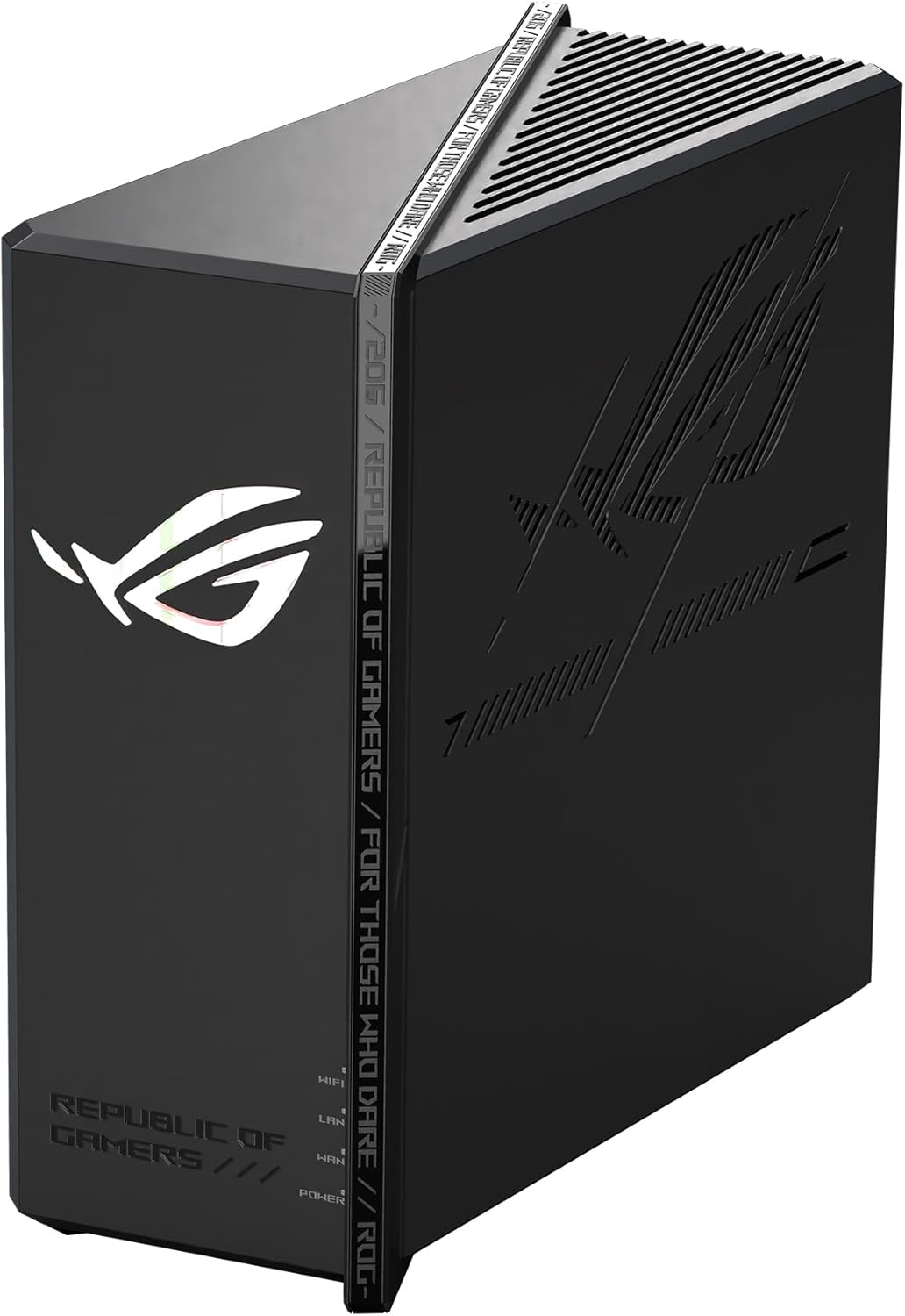
This tri-band router targets gamers who love to tweak and control every part of their network. It brings Wi-Fi 7 speeds and deep customization.
The built-in security software is the biggest draw. It blocks bad websites and protects your devices without asking for a monthly fee. This keeps your gaming PC safe from outside threats.
Buyers praise the massive range and high speeds. Many users say it covers a two-story house easily. Some buyers mention they had to update the firmware twice before the router reached its full speed.
This router shines when you have a fast 2-gigabit internet plan. It pushes that speed out to your wireless devices without losing much along the way.
I think the free security tools make this a great deal. Most brands charge extra for that kind of protection. I would recommend this to people who know their way around network settings. Beginners might find the menus a bit too deep.
✅ Pros
- Includes free lifetime network security
- Pushes a strong signal across two floors
- Offers a dedicated mode for gaming traffic
❌ Cons
- Requires multiple firmware updates right out of the box
- The phone app sends too many alert notifications
💬 What Customers Say
Gamers who use this daily report fantastic speeds and deep control over their traffic. Across the reviews, the thing people mention most is the strong signal that reaches far rooms. A few buyers complain about the initial setup requiring multiple updates. Overall, customers feel it delivers a highly stable and fast connection.
#5 Best for AI Traffic Control — MSI Radix AXE6600

This router fits gamers who want their network to manage itself. It uses built-in software to figure out what needs the most speed.
The automatic traffic control does the heavy lifting here. It spots when you start a game and instantly moves your data to the front of the line. You never have to go into the settings to prioritize your console.
Customers really like the strong wall penetration. Many buyers say it reaches basements and backyards easily. A common complaint is that the bright red lights on the antennas annoy people at night.
It works best in older homes with thick walls. The signal pushes through plaster and wood better than many competing models.
Honestly, the automatic traffic management is a great touch for people who just want to play. You do not have to worry about family members slowing you down. I would not put this in a bedroom because of the bright lights.
✅ Pros
- Sorts game traffic automatically for low ping
- Pushes Wi-Fi signals through thick plaster walls
- Includes mounting holes for easy wall placement
❌ Cons
- The red antenna lights are very bright in dark rooms
- The setup app struggles to read the included code
💬 What Customers Say
Most buyers agree that the signal strength easily beats their old equipment. People who switched to this say it reaches dead zones in their basements and yards. A frequent complaint is that the antenna lights cannot be turned off easily. Overall, buyers love the fast speeds and automatic game priority.
#6 Best Dual-Band Wi-Fi 7 — TP-Link Archer GE400
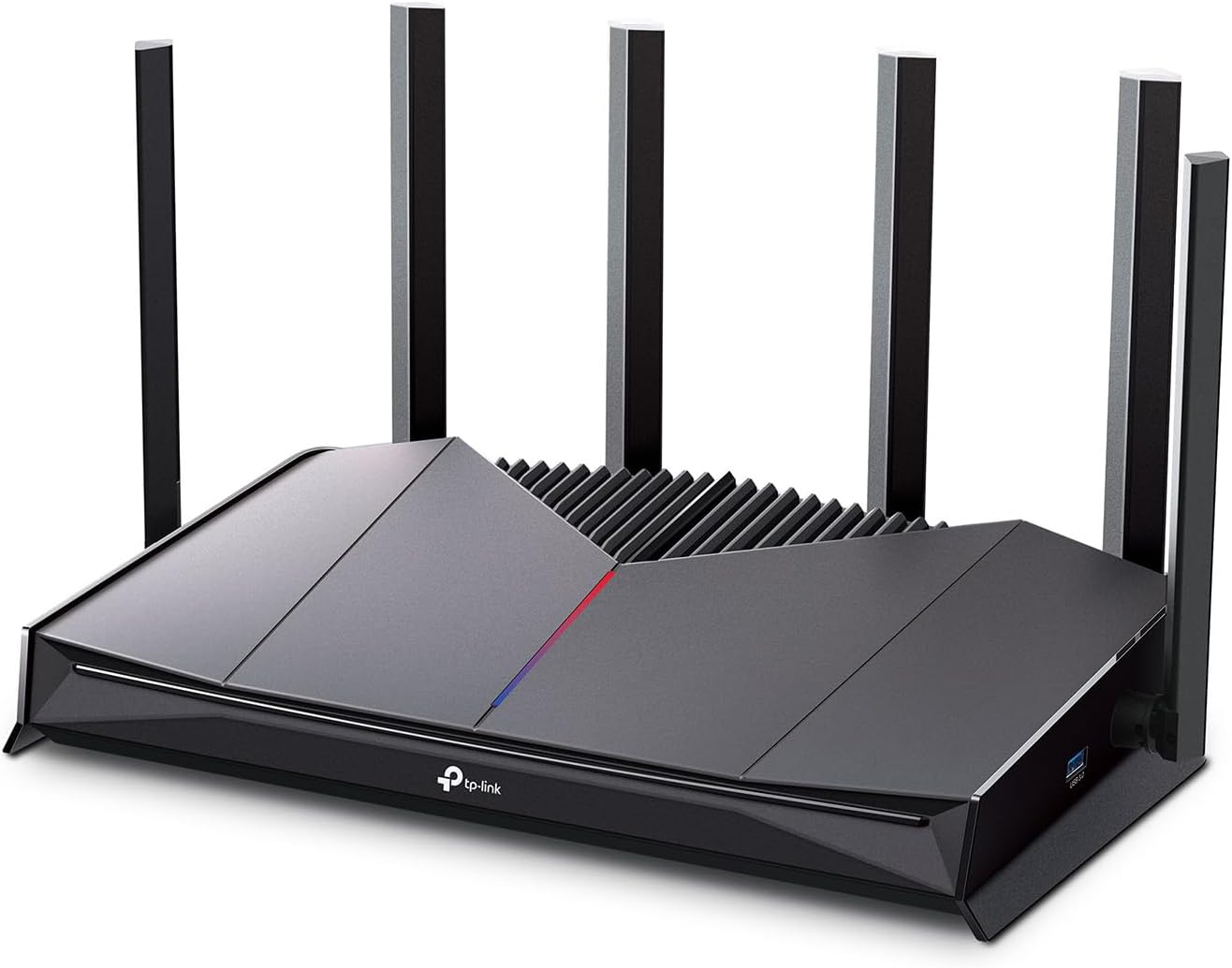
This dual-band router serves gamers who have dozens of smart devices competing for bandwidth. It handles crowded networks very well.
The game server acceleration makes a real difference. It finds the shortest path to the game servers, which drops your ping and stops jitter. This keeps your inputs fast and accurate during a match.
Buyers love how reliable the connection feels. Many people say it fixed all their random dropouts and printer issues. Some users complain that they must create a cloud account to use the mobile app.
This router works best in homes filled with smart TVs, cameras, and phones. It balances all that traffic without dropping your game connection.
I really like how stable this router is under pressure. Many routers choke when you connect forty devices, but this one stays cool. I would recommend it to anyone tired of restarting their network every week.
✅ Pros
- Keeps dozens of devices connected without dropping
- Lowers ping times by finding fast server routes
- Runs quietly and stays cool under heavy use
❌ Cons
- Forces you to make a cloud account for the app
- Does not include the newer 6GHz frequency band
💬 What Customers Say
Across thousands of reviews, the thing people mention most is the rock-solid connection stability. Buyers say it handles giant networks with ease and fixes old dropout problems. A few users complain about the app requiring an online login. Overall, customers feel it outperforms many more expensive models.
#7 Best for Easy Mesh Setup — TP-Link Archer GXE75
This Wi-Fi 6E router suits gamers who want to build a larger mesh network later. It offers fast speeds and easy expansion.
The dedicated game panel is the standout feature. It gives you a clear dashboard showing your network health, ping, and which devices use the most data. You can see exactly what is happening while you play.
Customers praise the easy setup and fast speeds. Many buyers note it connects easily to their existing modems and extenders. Some users mention the 6GHz signal drops quickly when going through glass doors.
It works best when you want to cover a medium home now, but might add extenders later. The software makes adding new mesh points very simple.
Honestly, the dashboard makes managing your network fun. You can actually see your game traffic getting priority. I would recommend this to anyone who likes to monitor their connection. I would pass if you refuse to pay for extra security features.
✅ Pros
- Shows real-time network health on a clear dashboard
- Connects easily to other mesh network extenders
- Prioritizes game traffic automatically
❌ Cons
- Advanced network security requires a paid subscription
- The 6GHz signal struggles to pass through double-pane glass
💬 What Customers Say
Most buyers agree that the setup process takes almost no time. People who use it for gaming say the 6GHz band keeps their connection fast and clear. A common complaint is that the 6GHz range drops off fast through walls. Overall, customers appreciate the fast speeds and helpful app dashboard.
#8 Best for Extreme Speeds — ASUS ROG GT-BE98 PRO

This quad-band router is for extreme enthusiasts who want the absolute fastest technology available. It brings massive capacity to any home.
The ability to link multiple bands at once changes how data moves. Your devices can pull data from two different bands at the same time. This keeps your connection incredibly stable even if one band gets crowded.
Buyers rave about the sheer speed and power of this unit. Many say it easily handles massive fiber internet speeds. However, several users warn that setting up a VPN on this router is very frustrating and complex.
This router shines in homes with multiple hardcore gamers and 4K streamers. It has enough lanes to keep everyone running at top speed.
I am amazed by the hardware power here. It handles heavy loads better than almost anything else. I would only recommend this to advanced users. The menus are deep, and setting things up wrong can break your connection.
✅ Pros
- Links multiple bands together for ultra-fast downloads
- Provides two 10-gigabit ports for extreme wired speeds
- Includes free security and parental controls
❌ Cons
- The physical unit is massive and hard to hide
- Setting up a VPN takes a lot of technical knowledge
💬 What Customers Say
Gamers who use this daily report incredible speeds that match their fiber internet plans. Across the reviews, buyers love the massive number of ports and configuration options. A frequent complaint is that the VPN setup confuses even experienced users. Overall, customers feel the raw hardware power is unmatched.
#9 Best for Fiber Internet — NETGEAR Nighthawk BE9300

This router fits gamers who want top-tier speeds but hate massive, ugly equipment. It packs huge power into a tall, slim design.
The upright antenna design does a great job pushing the signal out. It covers large areas without needing external antennas pointing everywhere. This keeps your desk looking clean while your games run fast.
Customers love the small footprint and the stable connection. Many buyers say it pulls full gigabit speeds on their phones and laptops. A few users mention the initial setup process takes longer than expected.
It works best when placed out in the open in a central room. The slim tower design blends into a living room much better than standard gaming routers.
Honestly, I love the design. Most fast routers look like giant alien spaceships. This one hides easily on a bookshelf. I would recommend it to anyone who cares about home decor. I would look elsewhere if you want free security software.
✅ Pros
- Pushes a massive signal from a very slim tower
- Delivers full gigabit wireless speeds to modern phones
- Runs very reliably without needing daily reboots
❌ Cons
- The built-in security tools only last for a 30-day trial
- The initial setup process feels a bit slow
💬 What Customers Say
Most buyers agree that this router delivers flawless stability and high speeds. People who switched to this say it handles their fiber internet perfectly. A common complaint is that the setup takes a bit of patience to finish. Overall, customers love the small size and powerful signal.
#10 Best for Multiple Gamers — ASUS ROG GT-AXE16000

This quad-band router serves houses where multiple people game at the exact same time. It offers four separate lanes for traffic.
Having two separate 5GHz bands and a 6GHz band is huge. You can put one gamer on the first band, another on the second, and keep your smart home on the 2.4GHz band. No one fights for space.
Buyers praise the massive signal range and wall penetration. Many people say it reaches upstairs bedrooms with ease. Some users note that the router gets quite warm and may fail after a few years of heavy use.
This works best in large, multi-story homes with lots of heavy internet users. It pushes a strong signal through floors and ceilings.
I think the four bands make this perfect for big families. You never have to tell someone to stop streaming so you can play. I would highly recommend getting an extended warranty, as a few buyers mentioned heat issues over time.
✅ Pros
- Provides four separate bands to stop network crowding
- Pushes a strong signal through floors and ceilings
- Includes lifetime security and parental controls
❌ Cons
- The unit gets warm during heavy data transfers
- Takes up a massive amount of space on a desk
💬 What Customers Say
Gamers who use this daily report excellent wall penetration and range. Across the reviews, buyers love how easy it is to separate devices onto different bands. A few users complain that the router gets hot and loses stability after a couple of years. Overall, customers feel it offers incredible power for large homes.
Frequently Asked Questions
Does a more expensive router give me faster internet?
Is a wired connection still better than Wi-Fi for gaming?
Do I really need the new 6GHz band?
Where is the best place to put my router?
Conclusion
Choosing the right router completely changes how your games play. We think the TP-Link Archer AXE75 stands out as the best overall pick. It gives you an empty 6GHz band for gaming and sets up in minutes without any confusing menus.
If you want to save some money, the TP-Link Archer AX21 is a great alternative. It handles basic gaming needs perfectly and keeps your connection stable on a budget. Take your time, check your internet plan speed, and pick the router that fits your home.