
Smart TVs get slow over time. The apps take forever to load, the menus freeze, and sometimes the TV stops getting updates completely. Buying a new television just to get faster apps makes no sense. A dedicated streaming device fixes the problem in five minutes.
Finding the right streaming stick can feel confusing. Roku, Amazon, Google, and Android all offer different boxes and sticks. Some focus on simple menus, while others give you hands-free voice control or extra storage for games. The right choice depends on your TV screen, your Wi-Fi setup, and how you like to find your shows.
We looked at the top options and read thousands of real buyer reviews to see how these devices actually perform. We checked which ones hold a strong Wi-Fi signal, which remotes break easily, and which menus feel the fastest. This guide will help you pick the exact device you need to get back to watching your favorite shows.
Quick Comparison
| # | Product | Rating | Reviews | Best For | Action |
|---|---|---|---|---|---|
| #1 | Roku Streaming Stick HD | 4.7 | 15693 | Older HD TVs | View on Amazon |
| #2 | Roku Ultra 4K Player | 4.5 | 7327 | Home Theaters | View on Amazon |
| #3 | Fire TV Stick 4K Plus | 4.7 | 105503 | Alexa Users | View on Amazon |
| #4 | Fire TV Stick 4K Max | 4.6 | 74674 | Power Users | View on Amazon |
| #5 | Fire TV Stick 4K Select | 4.1 | 5997 | Basic 4K | View on Amazon |
| #6 | NVIDIA Shield TV Pro | 4.4 | 13121 | Local Media | View on Amazon |
| #7 | Google TV Streamer 4K | 4.4 | 2834 | Google Homes | View on Amazon |
| #8 | Roku Streaming Stick Plus | 4.6 | 6742 | Long Range | View on Amazon |
| #9 | Roku Streaming Stick 4K | 4.7 | 96480 | Travel Use | View on Amazon |
| #10 | Amazon Fire TV Cube | 4.4 | 15761 | Voice Control | View on Amazon |
| #11 | Roku Express 4K+ | 4.7 | 102355 | Quick Upgrades | View on Amazon |
| #12 | ONN Android TV 4K | 4.4 | 1726 | Custom Apps | View on Amazon |
| #13 | Amazon Fire TV Stick HD | 4.7 | 61340 | Guest Rooms | View on Amazon |
| #14 | KICKPI KP1 Android Box | 4.4 | 160 | USB Media | View on Amazon |
#1 Best for Older TVs — Roku Streaming Stick HD

This Roku stick turns any basic television into a fast, modern media center. It suits people who have older 1080p screens and just want a simple way to watch their shows.
The best feature is how it gets power. You can plug the power cord directly into the USB port on the back of your TV. This means you do not have to run a cord down to a wall outlet. The stick hides completely behind the screen.
Buyers consistently mention how easy this device is to set up. Many people buy it to replace a lost remote and end up surprised by how much it speeds up their TV. A few users point out that it makes older, non-smart TVs feel brand new again.
This works best for a bedroom or guest room TV. You can keep the wires hidden and use one simple remote to control the power, volume, and streaming apps.
I really like how simple Roku keeps the home screen. You just see your apps in a grid. I would skip this if you have a 4K television, as it maxes out at standard HD resolution.
✅ Pros
- Plugs directly into your TV for power
- Hides completely out of sight
- Voice remote controls TV volume and power
- Simple home screen layout
❌ Cons
- Does not support 4K resolution
- Included power cable is somewhat short
💬 What Customers Say
Most buyers agree that this stick is incredibly easy to set up. People who bought it for older televisions report that it runs much faster than their old built-in smart TV apps. Many users love that it hides behind the screen. A few people mention the power cord is short, but overall, buyers feel it brings old TVs back to life.
#2 Best for Home Theaters — Roku Ultra 4K Player
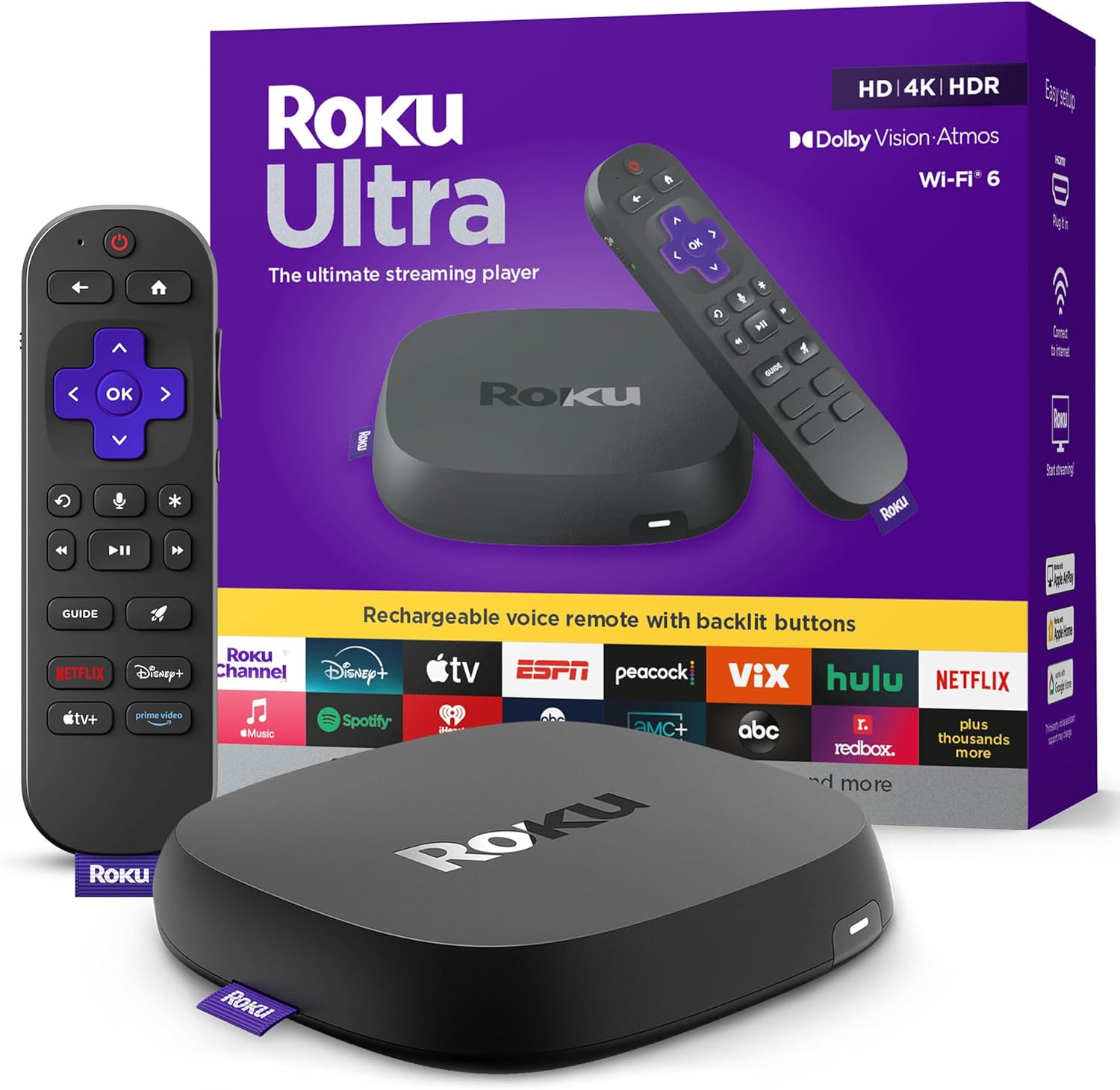
The Roku Ultra is a fast, powerful set-top box. It suits people who want the best picture quality and the fastest app loading times available from Roku.
The remote is the standout feature here. It has backlit buttons so you can see them in the dark. It charges via USB-C, so you never need to buy batteries. It even has a lost remote finder that makes the remote beep when you misplace it.
Customers love how fast this box runs. Many reviewers note that apps open almost instantly. Buyers also praise the Bluetooth listening feature, which lets them connect wireless headphones easily. A few users complain about the ads that appear on the Roku home screen.
This box shines in a main living room setup. If you have a nice surround sound system and a large 4K TV, this device gives you the speed and audio support to match your gear.
Honestly, the remote finder makes this worth considering. We all lose the remote in the couch cushions. I would recommend this to anyone who uses their TV daily. I would not recommend it if you want something that hides behind the TV, as this is a physical box that sits on your TV stand.
✅ Pros
- Apps open very quickly
- Remote buttons light up in the dark
- Remote finder locates lost controllers
- Supports Dolby Vision and Dolby Atmos
❌ Cons
- Takes up space on your TV stand
- Home screen displays some advertisements
💬 What Customers Say
Buyers rave about the speed of this device compared to older streaming sticks. Many users highlight the rechargeable remote and the helpful lost remote finder. People with home theater setups appreciate the crisp 4K picture and Dolby Atmos audio. Some users express frustration with the ads on the home menu, but most feel the performance makes up for it.
#3 Best for Alexa Users — Fire TV Stick 4K Plus

This is Amazon’s upgraded 4K streaming stick. It works well for people who already use Amazon Echo speakers and want to control their television with voice commands.
The Wi-Fi 6 support makes a real difference. It helps the stick grab a stronger wireless signal. This means your 4K movies load faster and stop buffering, even when other people in the house are using the internet.
Reviewers frequently mention the smooth 4K picture quality. Many buyers say it completely fixed the lag they experienced with their old smart TVs. However, several users complain about the remote control. They find the dedicated app buttons annoying because they hit them by accident.
This stick works perfectly in a busy household with lots of devices on the Wi-Fi. The upgraded wireless antenna keeps your video running smoothly while the kids play games online in the next room.
I like how deeply Alexa integrates into this stick. You can ask it to find specific types of movies, and it actually understands. I would warn you about the remote, though. The extra app buttons at the bottom are easy to press by mistake when you just want to pause your show.
✅ Pros
- Wi-Fi 6 support stops video buffering
- Alexa voice search works very well
- Streams cloud games without a console
- Sharp 4K picture quality
❌ Cons
- Remote feels a bit flimsy
- Easy to accidentally press the app buttons
💬 What Customers Say
Customers report that this stick offers a massive speed upgrade over older smart TVs. They love the clear 4K picture and how quickly apps load. Many buyers appreciate the strong Wi-Fi connection. The most common complaint involves the remote control. Users feel it is too easy to press the dedicated app buttons by mistake, which interrupts their viewing.
#4 Best for Power Users — Fire TV Stick 4K Max

The Fire TV Stick 4K Max is Amazon’s most powerful stick. It suits people who download a lot of apps and want the absolute fastest menus possible.
The 16GB of internal storage matters the most here. Most streaming sticks only offer 8GB. The extra space lets you download more streaming apps and games without the device slowing down or asking you to delete things.
Buyers love the speed of this device. Many reviewers note that apps open instantly and the menus never lag. Users also enjoy the ambient art feature that displays paintings when the TV is idle. A few users mention that the Amazon home screen feels cluttered with suggested content.
This is the right choice if you use heavy applications or play cloud games on your TV. The fast processor and extra storage keep everything running smoothly even under heavy use.
If you hate waiting for apps to load, this is the stick to get. The extra storage alone prevents so many future headaches. I would not recommend it if you only use one or two apps, as the extra power might be more than you actually need.
Compared to the Fire TV Stick 4K Plus, this Max version has double the storage and a slightly faster processor.
✅ Pros
- Double the storage of most streaming sticks
- Very fast menu navigation
- Displays museum art when not in use
- Wi-Fi 6E support for strong connections
❌ Cons
- Home screen pushes a lot of Amazon content
- Settings menus can be confusing to navigate
💬 What Customers Say
Buyers consistently praise how fast this stick operates. They love that apps open without delay and that 4K video streams smoothly. Many users appreciate the ambient art mode that turns their TV into a picture frame. A few reviewers mention they dislike how busy the home screen looks, but they still rate the overall performance very highly.
#5 Best Basic 4K — Fire TV Stick 4K Select

The Fire TV Stick 4K Select offers standard 4K streaming without extra bells and whistles. It suits casual viewers who want a clear picture without paying for features they will not use.
The AI-powered voice search is the most helpful feature. Instead of typing out long movie titles with the remote, you just press a button and tell Alexa what you want to watch. It checks all your apps at once to find the show.
Customers appreciate how easy this is to install. Many buyers mention that it instantly fixed their slow, outdated smart TVs. However, some users report that certain older apps do not show up in the app store, and the on-screen keyboard can be frustrating to use.
This works well for a secondary TV in a bedroom or office. It gives you full 4K resolution and voice controls without requiring a complicated setup.
I think this is a very practical choice for most people. It does exactly what it claims to do. I would look elsewhere if you need a lot of storage space, as this model fills up quickly if you download heavy games.
✅ Pros
- Crisp 4K HDR10+ picture quality
- Voice search saves time
- Controls smart home devices
- Very simple setup process
❌ Cons
- On-screen keyboard is awkward
- Some niche apps may not be available
💬 What Customers Say
Most buyers state this stick is a fast and easy upgrade for their televisions. They love the clear picture and how the voice remote speeds up searching. Several users mention it completely resolved their smart TV buffering issues. A few buyers express frustration when trying to install older, less common apps, but most find the app selection plenty big enough.
#6 Best for Local Media — NVIDIA Shield TV Pro

The NVIDIA Shield TV Pro is a high-end Android streaming box. It suits advanced users who host their own media files and want top-tier audio and video processing.
The AI upscaling feature is incredible. The internal processor takes standard HD video and enhances it in real time to look like 4K. It makes older shows and YouTube videos look noticeably sharper on a large screen.
Buyers praise the audio and video quality. Many users with expensive surround sound systems say this is the only device that handles heavy audio files perfectly. On the downside, several users report that the device occasionally crashes and requires a hard restart.
This device shines in a dedicated home theater room. If you use Plex to organize your own movie files, the Shield Pro acts as a server and plays everything without breaking a sweat.
I would only recommend this to tech-savvy buyers. It offers amazing features, but it requires some patience to set up properly. If you just want to watch Netflix, this box is total overkill. But if you have a massive library of your own movies, nothing else comes close.
✅ Pros
- Makes HD video look like 4K
- Two USB ports for hard drives
- Built-in Plex media server
- Supports high-end audio formats
❌ Cons
- Requires occasional restarts
- Remote control is overly sensitive
💬 What Customers Say
Advanced users love this box. Buyers frequently mention how well it handles Dolby Atmos audio and large 4K video files. Many people praise the AI upscaling for making older videos look crisp. Some users express frustration with software bugs that cause the device to freeze, requiring them to unplug it to get it working again.
#7 Best for Google Homes — Google TV Streamer 4K

The Google TV Streamer replaces the old Chromecast. It suits people who use Android phones or have Google smart home devices around their house.
The built-in smart home panel makes a big difference. You can pull up a menu on your TV to dim your lights or check your front door camera without stopping your movie. It brings all your home controls to the biggest screen in the house.
Customers love the clean interface. Reviewers note that the device runs smoothly and the picture quality is excellent. Many buyers appreciate the remote finder feature. A few users mention that the initial setup pushes annoying pop-up messages that are hard to skip.
This sits perfectly on a media console in a Google-powered home. You can cast videos directly from your Android phone to the TV instantly.
I really like the new remote design. It feels much better in the hand than the old Chromecast remote. I do find it annoying that Google does not include an HDMI cable in the box. You will need to buy one separately before you can set this up.
✅ Pros
- Smart home controls on your TV screen
- 32GB of storage for apps
- Remote finder feature included
- Clean and fast menu interface
❌ Cons
- Does not include an HDMI cable
- Setup process has annoying pop-ups
💬 What Customers Say
Buyers are very happy with the speed and smooth performance of this streamer. They love the clean menu layout and how easily it connects to their Wi-Fi. Many users highlight the remote finder as a lifesaver. A few reviewers complain about the lack of an included HDMI cable and the annoying setup screens, but overall satisfaction is very high.
#8 Best for Long Range — Roku Streaming Stick Plus

The Roku Streaming Stick Plus is a 4K device built for tough Wi-Fi environments. It suits people who have televisions far away from their internet routers.
The advanced wireless receiver is the key feature. It sits directly in the power cable and grabs Wi-Fi signals much better than standard sticks. This stops your movies from buffering when you watch TV in a distant bedroom or basement.
Buyers praise how easy it is to use. Many customers love the simple Roku menus and the crisp 4K picture. A common complaint is the placement of the power button on the remote, which users say they often hit by accident when picking it up.
This is the perfect device for a basement TV or a garage setup. The strong Wi-Fi receiver ensures you get a clear picture even through multiple walls.
I always recommend Roku for people who hate complicated menus. It just works. However, the included USB power cable is quite short. If your TV does not provide enough power through its own USB port, you might need an extension cord to reach a wall outlet.
✅ Pros
- Pulls in weak Wi-Fi signals easily
- Hides completely behind the television
- Simple, easy-to-read menus
- Voice remote controls TV volume
❌ Cons
- Power button is easy to press by mistake
- USB power cable is very short
💬 What Customers Say
Customers report that this stick completely fixed their buffering issues in distant rooms. They love the sharp 4K picture and how simple the Roku menus are to navigate. Many buyers mention it is very easy to set up. Some users note that the remote layout causes them to accidentally turn off the TV when trying to adjust the volume.
#9 Best for Travel — Roku Streaming Stick 4K

The Roku Streaming Stick 4K is a slim, portable device. It suits people who travel often and want to watch their own streaming apps in hotel rooms.
The travel connection feature stands out. It allows you to easily bypass hotel Wi-Fi login screens using your smartphone. This means you can plug the stick into a hotel TV and watch your own shows instead of paying for hotel movies.
Reviewers love the picture quality. Buyers mention the Dolby Vision support makes colors pop. Many users praise how well it hides behind the TV. A few buyers mention that the included AA batteries for the remote seem to drain quickly.
This stick is ideal to keep in your suitcase. It takes up almost zero space, and it saves you from having to log into your Netflix account on a public hotel television.
I think this is one of the most reliable sticks you can buy. It runs fast and the picture looks great. I would warn you to keep spare batteries around, as the voice remote tends to eat through them faster than older models.
Compared to the Roku Express, this stick hides completely out of sight and has a stronger Wi-Fi antenna.
✅ Pros
- Connects easily to hotel Wi-Fi networks
- Supports Dolby Vision for rich colors
- Strong long-range Wi-Fi receiver
- Does not block other TV ports
❌ Cons
- Remote drains batteries quickly
- Requires a strong signal for full 4K
💬 What Customers Say
Buyers love using this stick for both home and travel. They frequently mention the excellent 4K picture and how easily it connects to tricky Wi-Fi networks. Many users appreciate that it hides behind the TV without extra wires. Some customers complain that the remote batteries die fast, but most agree the device itself performs perfectly.
#10 Best for Voice Control — Amazon Fire TV Cube
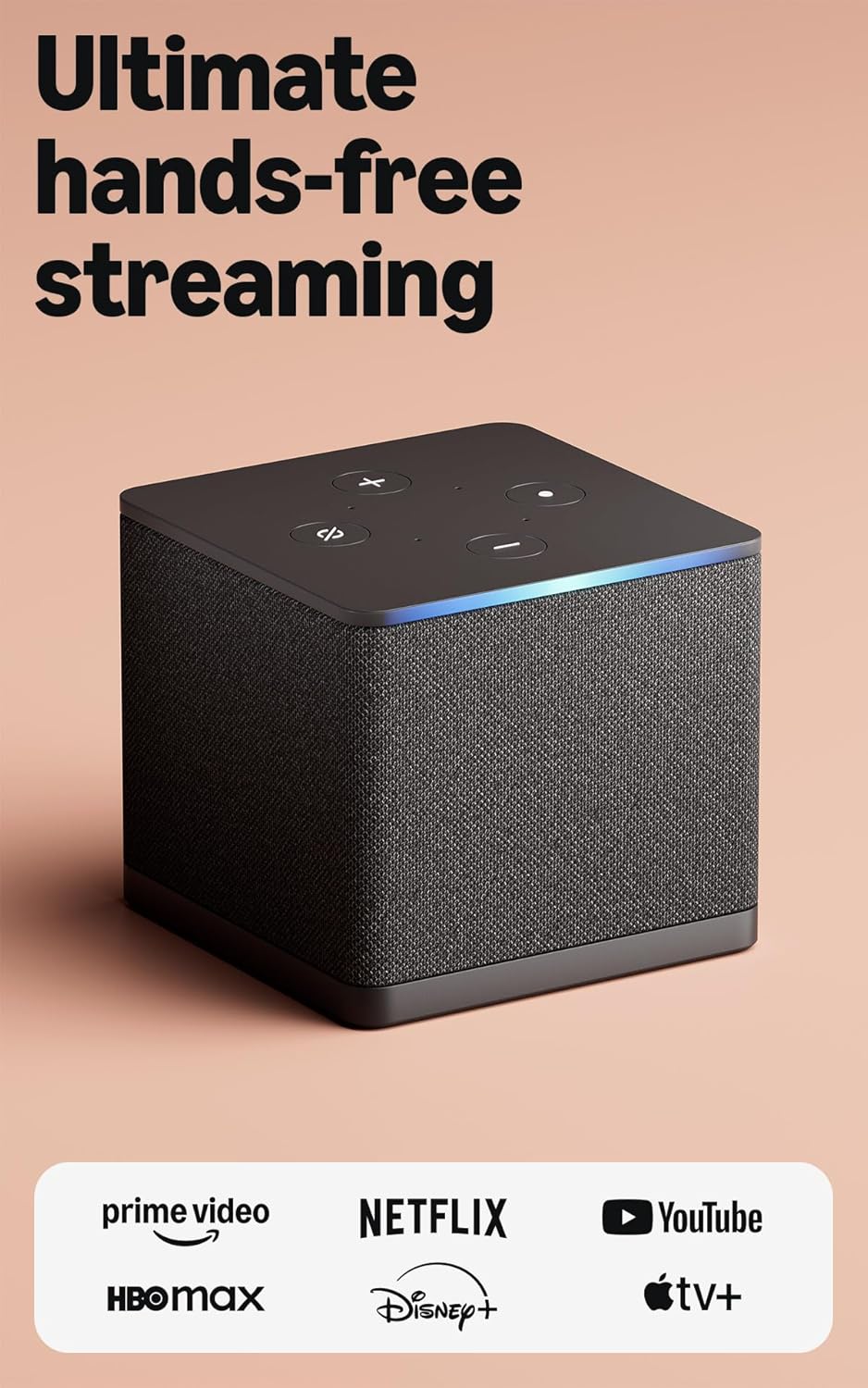
The Fire TV Cube is a hybrid streaming box and smart speaker. It suits people who want to control their entire entertainment system without ever touching a remote.
The built-in microphone and speaker change how you use your TV. You can walk into the room and ask Alexa to turn on the TV, switch to the cable box, and start a specific show. It sends signals to your other devices to make it all happen hands-free.
Customers love the speed of the octa-core processor. Reviewers note that apps load incredibly fast. Buyers also appreciate the extra HDMI port for plugging in game consoles. However, several users report that getting the audio settings to output the correct surround sound formats can be frustrating.
This device belongs in a main living room where you have a soundbar or a cable box. It acts as a command center to switch between all your different inputs smoothly.
Being able to pause a movie while holding a bowl of snacks is a massive help. I love the hands-free control. I do not love that Amazon skips including an HDMI cable in the box for a device this advanced. You have to provide your own.
✅ Pros
- Hands-free voice control works across the room
- Extremely fast app loading times
- Controls soundbars and cable boxes
- Includes an ethernet port for wired internet
❌ Cons
- Does not come with an HDMI cable
- Audio output settings are tricky to configure
💬 What Customers Say
Buyers are thrilled with how fast this cube operates compared to streaming sticks. They love walking into the room and using voice commands to turn everything on. Many users mention it successfully controls their soundbars and receivers. Some reviewers express frustration with the audio settings, noting it takes tinkering to get the best sound output.
#11 Best for Quick Upgrades — Roku Express 4K+

The Roku Express 4K+ is a small set-top box that offers high-quality streaming on a budget. It suits people who want an easy setup without worrying about buying extra cables.
The guided setup process is the best part. You just plug it into the wall and the TV, and the screen walks you through every step simply. It even includes the high-speed HDMI cable in the box, which many other brands make you buy separately.
Reviewers praise the value. Many buyers mention how clearly it displays 4K video. Users love the voice remote for finding shows quickly. A few customers complain about the remote’s side volume buttons, stating they are smooth and hard to find by touch.
This works well for a TV sitting on a stand or a dresser. Because it is a box, it needs to sit somewhere where the remote can point at it.
I appreciate that Roku includes everything you need in the box. It makes upgrading an old TV completely painless. I would skip this if your TV is mounted tight against the wall, as this box needs a place to sit and cannot hide behind the screen.
✅ Pros
- Includes a high-speed HDMI cable
- Very simple guided setup process
- Clear 4K HDR picture quality
- Voice remote controls TV power
❌ Cons
- Box must sit visible near the TV
- Side volume buttons are hard to feel
💬 What Customers Say
Customers frequently mention how easy this device is to install. They love that the HDMI cable is included and that the picture quality is sharp. Many buyers bought this to replace their cable boxes and are very happy with the results. Some users note the remote volume buttons are a bit awkward to press, but overall feedback is highly positive.
#12 Best for Custom Apps — ONN Android TV 4K

The ONN Android TV 4K is a budget-friendly streaming box. It suits people who like the Android operating system and want to install third-party applications easily.
The open Android TV system is the biggest draw. Unlike some sticks that block certain apps, this box lets you access the full Google Play Store. You can download almost anything, making it very flexible for users who want specific media players.
Buyers love the value of this device. Many reviewers say it runs just as fast as much more expensive options. Customers also appreciate the clean menu layout. However, a few users report that certain heavy apps, like Disney, occasionally stutter during playback.
This is a great option for a garage or basement TV where you want to experiment with different Android media apps without spending much money.
Honestly, this box punches way above its weight. It is fast and very easy to use. I would not recommend it if you plan to use wired internet or external hard drives, as it completely lacks ethernet and USB ports.
✅ Pros
- Full access to Google Play Store apps
- Clean, easy-to-read menu interface
- Remote controls TV power and volume
- Includes an HDMI cable
❌ Cons
- No USB or ethernet ports
- Some heavy apps may stutter slightly
💬 What Customers Say
Buyers are very surprised by the quality of this budget box. They love the clean Google TV interface and how easy it is to install third-party apps. Many users mention it replaced their older sticks perfectly. A few reviewers note that specific apps can have minor playback stutters, and they wish it had a USB port.
#13 Best for Guest Rooms — Amazon Fire TV Stick HD

This is Amazon’s basic streaming stick. It suits people who have older 1080p televisions and want a cheap way to add smart features.
The access to free live TV stands out here. The home screen makes it very easy to find free, ad-supported channels like Pluto TV and Tubi. You can start watching live news and movies right out of the box without paying for any subscriptions.
Reviewers appreciate the straightforward setup. Many buyers say it boots up quickly and the Alexa voice remote works perfectly. Some users mention that the device can get slow and laggy if you download too many apps and fill up the storage.
This stick is perfect for a guest bedroom. It gives visitors access to all the major streaming apps and free live TV without requiring a complicated remote control.
I think this is a great quick fix for a dumb TV. It does exactly what you need it to do. I would definitely avoid this if you have a 4K television, as the picture quality will not look as sharp as it could.
Compared to the Fire TV Stick 4K, this model is slightly slower and only outputs in standard HD.
✅ Pros
- Very affordable way to upgrade a TV
- Easy access to free live channels
- Alexa remote finds shows quickly
- Hides easily behind the television
❌ Cons
- Does not support 4K video
- Can slow down if storage gets full
💬 What Customers Say
Customers love how easily this stick updates their older televisions. They praise the voice remote and the quick access to free streaming channels. Many buyers use this in guest rooms or kitchens. Some users report that the stick becomes sluggish after a few years of use or when the internal storage gets too full.
#14 Best for USB Media — KICKPI KP1 Android Box

The KICKPI KP1 is a Google-certified Android 11 streaming box. It suits people who want to plug in their own hard drives or use wireless keyboards from the couch.
The multiple connection ports make this box unique. It features two USB ports and an SD card reader. This allows you to easily expand the storage or plug in a flash drive full of your own home movies to watch on the big screen.
Buyers appreciate the flexibility of the Android system. Users mention it handles productivity apps and web browsing well. However, some reviewers note that the USB ports can be finicky, requiring you to position the flash drive perfectly to get it to read.
This works best in a home office or dorm room where you might want to use the TV as a giant monitor for web browsing or side-loaded Android apps.
I like that this box gives you the freedom to customize your setup. The built-in Chromecast is also a nice touch. I would not recommend this to someone who just wants a simple plug-and-play Netflix machine, as the menus take some time to set up how you like them.
✅ Pros
- Two USB ports for extra devices
- SD card reader expands storage
- Built-in Chromecast for phone casting
- Google certified for 4K streaming
❌ Cons
- USB ports can have connection issues
- Video panning can sometimes stutter
💬 What Customers Say
Buyers enjoy the speed and flexibility of this Android box. They like that it supports 4K apps and allows them to side-load productivity tools. Many users praise the remote control layout. A few customers express frustration with the USB ports, noting they sometimes fail to read flash drives unless positioned perfectly.
Frequently Asked Questions
Do I need a smart TV to use a streaming stick?
Will a 4K streaming stick work on my older HD television?
Do I have to pay a monthly fee to use a Roku or Fire Stick?
Why does my streaming stick keep buffering?
Conclusion
Upgrading your TV with a streaming device is the easiest way to stop dealing with slow, frozen menus. For most people, the Roku Streaming Stick 4K is the best overall choice. It hides behind the TV, grabs a strong Wi-Fi signal, and keeps the menus incredibly simple to use.
If you prefer to control things with your voice, the Amazon Fire TV Stick 4K Max offers amazing speed and extra storage for all your apps. No matter which one you choose, adding a dedicated streamer will make your television feel brand new again.