
Sounding terrible on a video call is a common problem. Built-in laptop microphones often pick up loud fan noise and make you sound far away. People end up repeating themselves or typing in the chat just to be understood.
Many people think they need a complicated studio setup to fix this. But a simple USB microphone solves the problem fast. You just plug the cable into your computer and start talking. The difference in voice clarity is huge.
We looked at the top options and read thousands of real buyer reviews to find the best choices. We checked which ones block background noise, which ones travel easily, and which ones hold up to daily use.
Quick Comparison
| # | Product | Rating | Reviews | Best For | Action |
|---|---|---|---|---|---|
| #1 | JOUNIVO Gooseneck Mic | 4.4 | 11718 | Daily Meetings | View on Amazon |
| #2 | CMTECK G009 Desktop Mic | 4.5 | 1455 | Space Saver | View on Amazon |
| #3 | FIFINE K669B Condenser Mic | 4.5 | 34352 | Podcasting | View on Amazon |
| #4 | DUNGZDUZ Mini USB Mic | 4.4 | 953 | Travel Use | View on Amazon |
| #5 | TONOR G11 Conference Mic | 4.3 | 4115 | Group Calls | View on Amazon |
| #6 | TONOR TC-777 Podcast Mic | 4.4 | 59632 | Starter Kit | View on Amazon |
#1 Best for Daily Meetings — JOUNIVO Gooseneck Mic
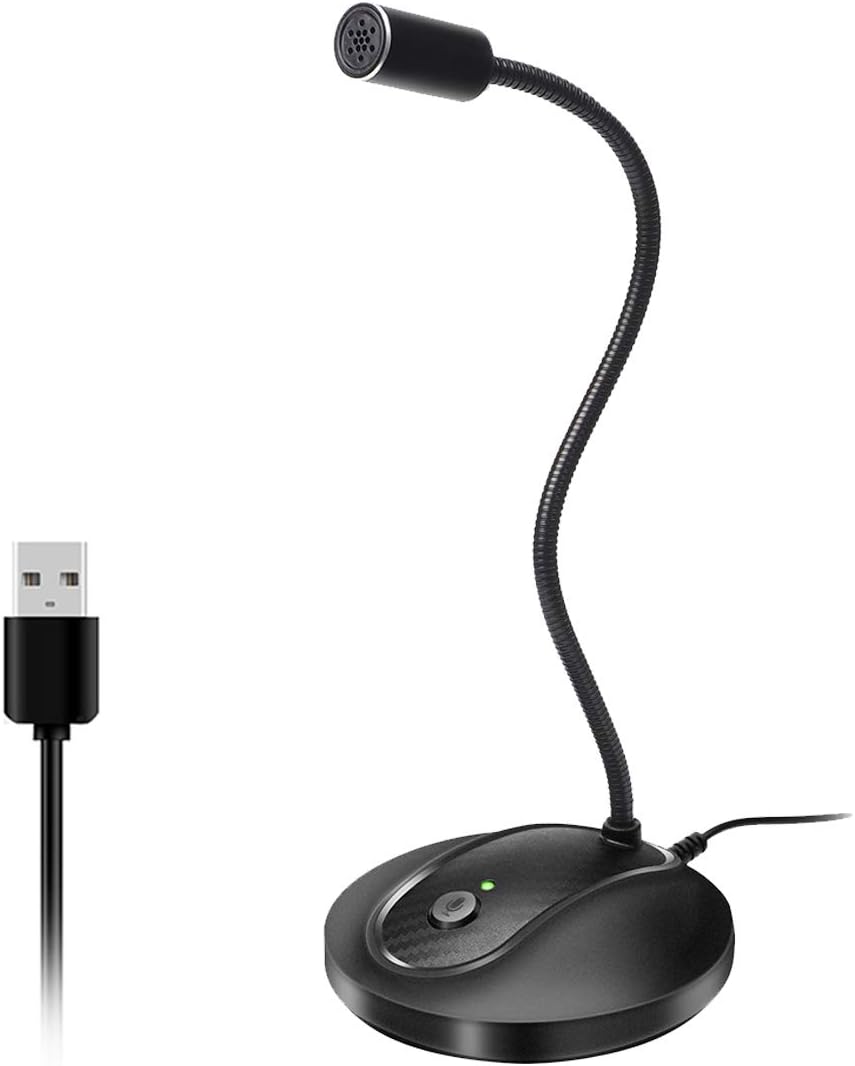
This microphone suits office workers and gamers who want a simple desk setup. It features a heavy base that stays put and a long neck that bends in any direction.
The 360-degree gooseneck makes the biggest difference here. You can bend the microphone right next to your mouth. This helps it pick up your voice clearly while ignoring the noise around you.
Most buyers love how reliable this microphone is over many years of use. They praise the clear voice quality on long work calls. A few people note that their microphone stopped working after a month when the USB connection failed.
This works best for long video calls where you need to hit mute quickly. The button sits right on the base within easy reach.
I really like the physical mute button with the LED light. You never have to guess if people can hear you. I would not pick this for recording music, but it beats a laptop microphone easily.
✅ Pros
- Bends easily to reach your mouth
- Shows a light when muted
- Stays stable on your desk
- Sets up instantly without software
❌ Cons
- USB connection can fail over time
- Does not work with Xbox consoles
💬 What Customers Say
Buyers agree that this microphone offers clear sound for daily calls. Many people mention that the mute button makes long meetings much easier to handle. Several users report using it daily for years without any problems. A few buyers complain that the microphone died suddenly after a few weeks of use.
#2 Best Space Saver — CMTECK G009 Desktop Mic

This small microphone is made for people with crowded desks who need clear voice chat. It features a compact base and a flexible metal neck.
The built-in smart chip blocks background noise effectively. This means you can type on your keyboard during a call without annoying everyone else in the meeting.
Buyers frequently mention the easy setup and the small footprint. They like that they can push it out of the way when they finish working. Some users warn that the mute button does not sync with Microsoft Teams software.
This shines when you need to take notes during a meeting. The noise blocking keeps the focus on your voice instead of your hands.
The small base really helps if your desk lacks space. The flexible neck lets you lean back in your chair and still be heard. I would skip this if you rely heavily on the Teams software mute button, as you have to click the screen instead.
✅ Pros
- Takes up very little desk space
- Blocks loud keyboard typing
- Bends to fit your sitting position
- Shows a red light when muted
❌ Cons
- Mute button fails to sync with some software
- Stem feels slightly short for tall users
💬 What Customers Say
Customers love how easy it is to plug in and use right away. Many reviewers praise the clear sound and note that it ignores background noise well. A common complaint is that the physical mute button does not trigger the mute icon in specific programs like Microsoft Teams.
#3 Best for Podcasting — FIFINE K669B Condenser Mic
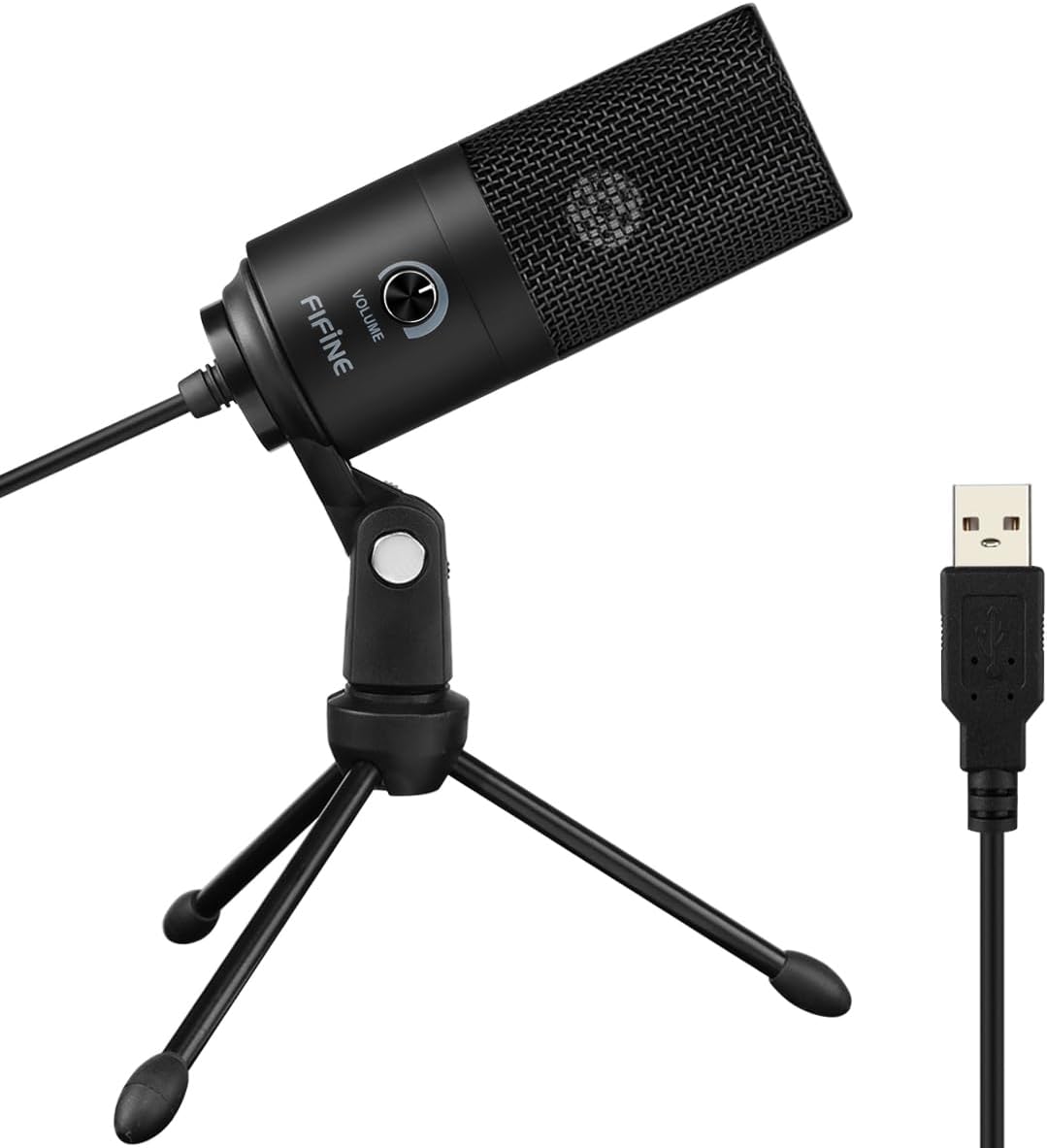
This solid metal microphone targets streamers and voice actors starting out. It comes with a small tripod stand and a long attached cable.
The volume knob on the front gives you total control. You can make your voice louder or quieter instantly without opening any computer settings menus.
Users praise the rich, warm sound quality this microphone produces. They love the heavy metal build. A few buyers mention the cable connection feels sensitive and can cause static if bumped.
This works perfectly for recording YouTube voiceovers in a quiet room. The cardioid pattern focuses directly on the sound right in front of it.
The heavy metal body feels great on a desk. It picks up a lot of detail, so you really need a quiet space to use it well. I recommend this for anyone who wants to sound like a radio host on a tight budget.
✅ Pros
- Makes voices sound rich and full
- Controls volume directly on the front
- Sits securely on the included tripod
- Built tough with a metal body
❌ Cons
- Picks up background room noise easily
- Cable cannot be detached or replaced
💬 What Customers Say
Most buyers are surprised by how professional their voice sounds with this microphone. Gamers and podcasters mention it handles daily use very well. Some users report annoying static noises if the cable gets moved or bumped while recording.
#4 Best for Travel — DUNGZDUZ Mini USB Mic

This tiny microphone is built for travelers who need a backup option. It looks like a small flash drive and comes in a little metal tin.
The direct plug-in design matters most here. You plug it straight into the side of your laptop with no cables to untangle or manage.
Buyers love the metal carrying case and the incredibly small size. They use it mostly when their laptop microphone breaks. Some users complain it picks up too much room noise if you turn the computer volume up high.
This is the perfect tool for working from a hotel room. You can keep it in your laptop bag and use it when you need better sound fast.
This is a pure emergency tool. It takes up zero desk space and travels perfectly. I would not use it for daily podcasting, but it saves the day when you work away from home.
✅ Pros
- Fits easily in any pocket
- Plugs directly into the computer
- Includes a hard metal carrying case
- Requires no cables to work
❌ Cons
- Catches background noise easily
- Sticks out from the side of the laptop
💬 What Customers Say
People who bought this mostly needed a quick fix for a broken laptop microphone. They love how small it is and praise the protective carrying case. A few reviewers mention that you have to adjust your computer settings carefully to avoid sounding like you are in a windstorm.
#5 Best for Group Calls — TONOR G11 Conference Mic

This flat microphone is designed for small teams sitting around one table. It rests directly on the desk like a small hockey puck.
The omnidirectional pickup pattern catches voices from all sides. It can hear people clearly even if they sit eleven feet away from the computer.
Office workers say it catches every voice in the room clearly during hybrid meetings. They like the simple touch button to mute the sound. A few users report the cable breaking after a couple of years of use.
This works best for a team meeting where three or four people share one computer to talk to a remote client.
I really like how this hides under a monitor. The touch mute button works well and feels modern. Just be careful not to bend the cable too much where it meets the microphone body.
✅ Pros
- Hears voices clearly from across the room
- Picks up sound from all directions
- Sits flat and hides under monitors
- Mutes quickly with a simple touch
❌ Cons
- Cable connection can break over time
- Mute button does not update software icons
💬 What Customers Say
Reviewers report that this microphone drastically improves group calls. They love that nobody has to shout to be heard by the remote team. Some buyers note that the cable feels delicate and can stop working if you move the microphone around the desk too often.
#6 Best Starter Kit — TONOR TC-777 Podcast Mic

This microphone kit is made for beginners who want a full recording setup in one box. It includes the microphone, a tripod, a shock mount, and a pop filter.
The included shock mount stops desk bumps from ruining your audio. If you hit your keyboard or tap your desk, the mount absorbs the shake before it reaches the microphone.
Gamers and teachers love the clear voice pickup and the stable stand. They appreciate getting all the accessories at once. Many warn that the microphone is very sensitive and catches background sounds easily.
This kit is perfect for setting up a new gaming stream or home classroom. It gives you everything you need to look and sound professional on camera.
Getting all the accessories together saves a lot of hassle. The tripod holds steady on the desk. You will need to close your windows, as this microphone hears everything happening outside.
✅ Pros
- Includes every accessory you need
- Absorbs desk bumps and typing shakes
- Blocks harsh breath sounds with the filter
- Folds up easily for storage
❌ Cons
- Picks up sounds from outside the room
- Pop filter arm feels a bit loose
💬 What Customers Say
Across thousands of reviews, buyers praise the value of getting a full kit at once. Gamers say their friends hear them perfectly on Discord. The most common complaint is that the microphone is too sensitive, picking up loud computer fans and people talking in the next room.
Frequently Asked Questions
Do I need to install software for a USB microphone?
Why does my microphone pick up my keyboard typing?
Will a USB microphone work with my gaming console?
Is a bigger microphone always better?
Conclusion
The TONOR TC-777 Podcast Mic takes the top spot because it gives you everything you need in one box. The included stand, shock mount, and filter make it very easy to start recording right away.
If you just want clear daily meetings, the JOUNIVO Gooseneck Mic is a great choice. It sits quietly on your desk, bends to fit your setup, and lets you hit mute the second you need to. Both options will make you sound much better than your laptop ever could.